• HOME
  • DIVI BEGINNERS
  • TUTORIALS
  • TROUBLESHOOTING
  • SUBMIT A TICKET
  • HOME
  • DIVI BEGINNERS
  • TUTORIALS
  • TROUBLESHOOTING
  • SUBMIT A TICKET
home/Knowledge Base/4. Vivien Pro - Theme Settings/Vivien Pro – How to Create an anchor text link in Galleries

Vivien Pro – How to Create an anchor text link in Galleries

Create an anchor text link in Divi

Creating an anchor link takes 2 steps. The first step is to create the anchor link and the second step is to assign this anchor to a point on your page (where it needs to go).

Step 1

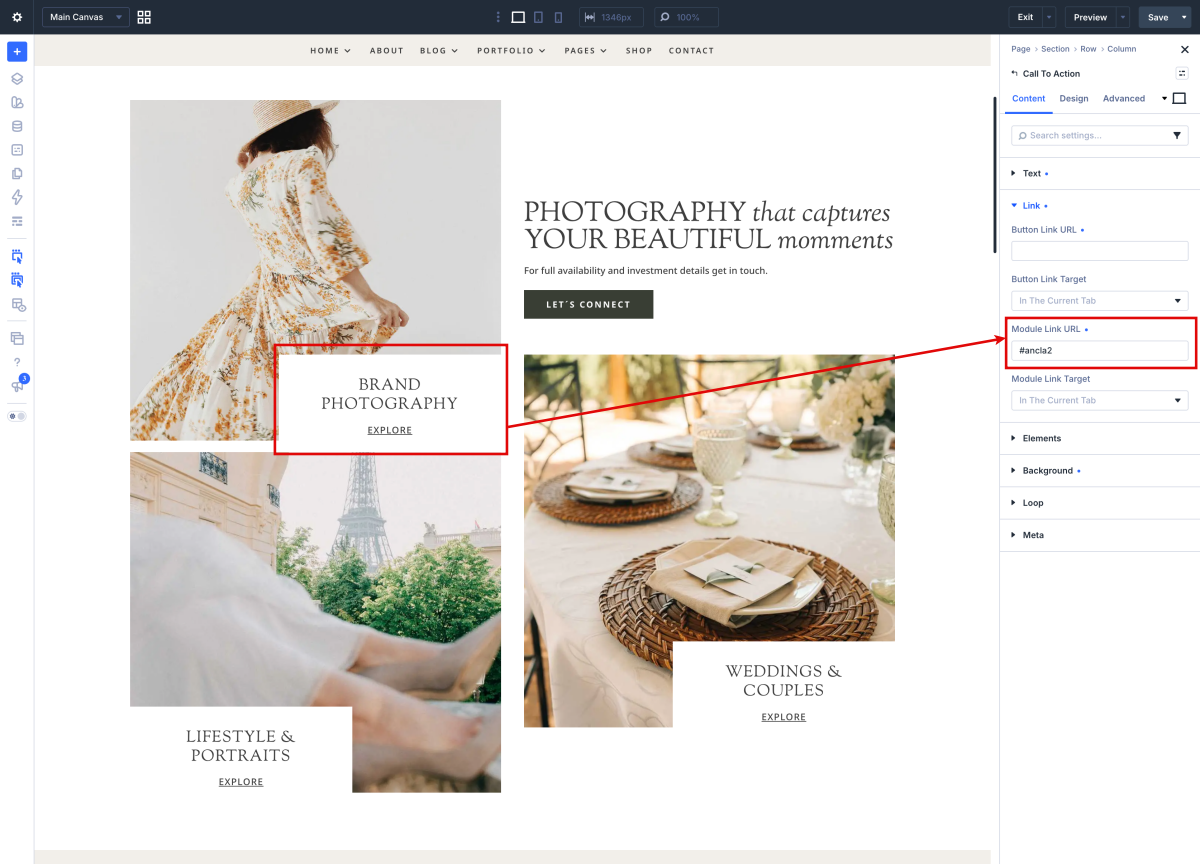
Create the text for you anchor link or button and then add a hyperlink on it just like you would do when creating a normal link.

Open your text, button, image,.. module and instead of linking it to another page we add an anchor tag that starts with “#” followed by the anchor name. (Example #ancl2)


Step 2

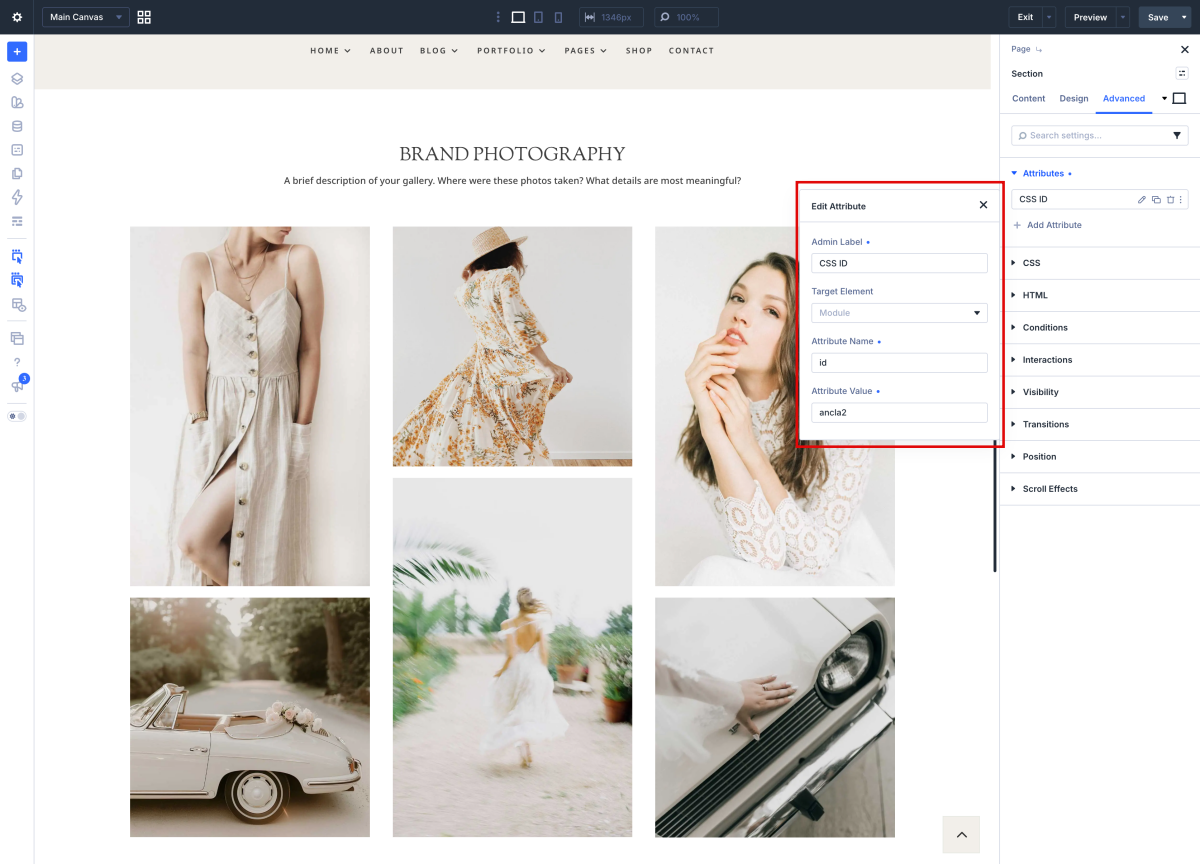
Now you need to assign the anchor link to a section of your page so when you clicked on the anchor link it will jump to that part of the page.

Open your section, row or module and go to the advanced tab. In the CSS ID & Classes fil in the anchor ID in the CSS ID field.
 

How to an extra anchor text link in package

  1. Duplicate a column with module.
  2. Create a new anchor name in text module.
  3. Duplicate a section and edit it.
  4. Assing the anchor ID.


http://divi.helplovelyconfetti.com/wp-content/uploads/2021/09/Vivien-Pro-Anchor-Link.webm


Related Articles
  • Vivien Pro – How to Add a Popup Video to any Image
  • Vivien Pro – How to Design a Blog Post Template
  • Vivien Pro – Saving And Loading Sections In Divi
  • Vivien Pro – Saving And Loading Layouts In Divi
  • Vivien Pro – How to add Filterable portfolio
  • Vivien Pro – How to configure Contact Form
4. Vivien Pro - Theme Settings
  • Vivien Pro – How to Create an anchor text link in Galleries
  • Vivien Pro – Theme Options
  • Vivien Pro – How to change global colors
  • Vivien Pro – How to Import and edit Footer
  • Vivien Pro – How to Import and edit Header
  • Vivien Pro – How to configure Contact Form
  • Vivien Pro – How to add Filterable portfolio
  • Vivien Pro – Saving And Loading Layouts In Divi
View All 10  

  Vivien Pro – How to Design a Blog Post Template

Vivien Pro – How to configure Contact Form  

  • Privacy Policy
  • Terms of Use
  • Copyright 2023. All Rights Reserved.