• HOME
  • DIVI BEGINNERS
  • TUTORIALS
  • TROUBLESHOOTING
  • SUBMIT A TICKET
  • HOME
  • DIVI BEGINNERS
  • TUTORIALS
  • TROUBLESHOOTING
  • SUBMIT A TICKET
home/Knowledge Base/1. Getting - Started/3. Setup plugins

3. Setup plugins

AUTOMATIC PLUGIN INSTALLATION

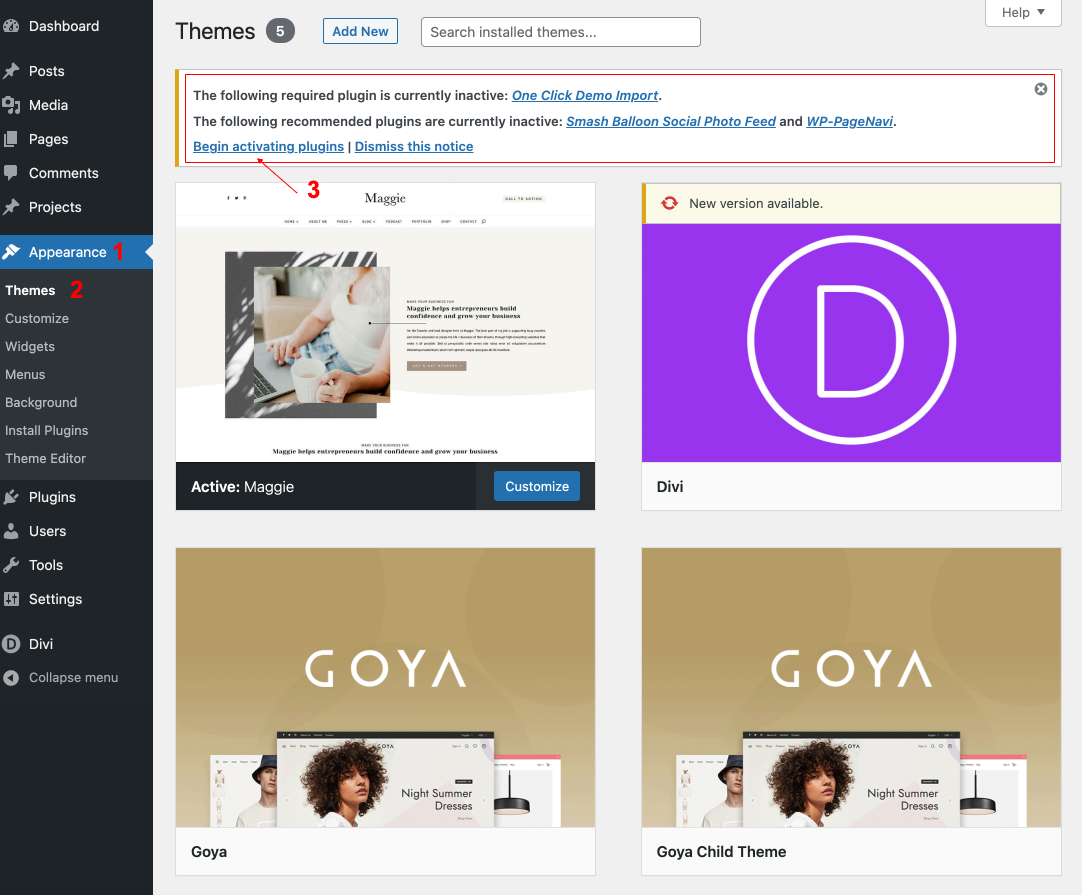
Once you have installed and activated Divi and Theme you will be prompted to install recommended plugins. Just click the link to begin installing plugins.
 

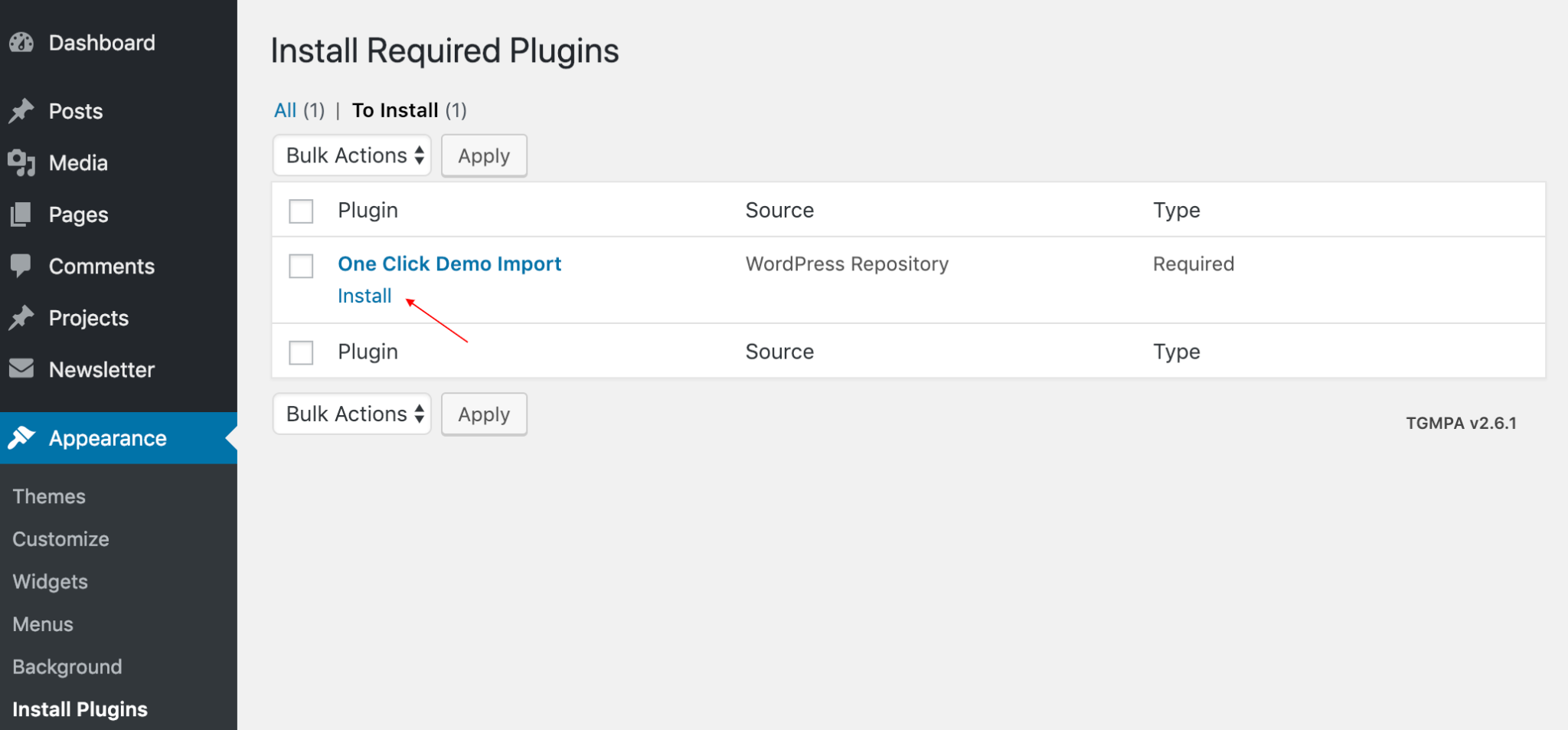
Next, check boxes to select all the plugins you want to install, select the bulk action of install from the dropdown box and then click the button to apply and activate them.


Related Articles
  • 7. Import DIVI BUILDER ( Footer / Header / Blog Post,… )
  • 6. Import DEMO content
  • 4. Setup permalinks
  • 5. Activate your product
  • 2. How To Install Theme
  • 1. Introducing Your Divi Child Theme
1. Getting - Started
  • 3. Setup plugins
  • 1. Introducing Your Divi Child Theme
  • 2. How To Install Theme
  • 5. Activate your product
  • 4. Setup permalinks
  • 6. Import DEMO content
  • 7. Import DIVI BUILDER ( Footer / Header / Blog Post,… )

4. Setup permalinks  

  • Privacy Policy
  • Terms of Use
  • Copyright 2023. All Rights Reserved.