• HOME
  • DIVI BEGINNERS
  • TUTORIALS
  • TROUBLESHOOTING
  • SUBMIT A TICKET
  • HOME
  • DIVI BEGINNERS
  • TUTORIALS
  • TROUBLESHOOTING
  • SUBMIT A TICKET
home/Knowledge Base/1. Getting - Started/5. Activate your product

5. Activate your product

This licence only works for Divi Child Theme NOT Divi ( Parent Theme)

As you can read in Product listing and FAQS,

A copy of Divi is included in your download pack. However if you wish to make any updates to Divi a license is required. I would highly recommend purchasing a license if you are planning on making large customisations or adding any new pages as it will give you access to the latest builder and modules.

You can purchase a license HERE


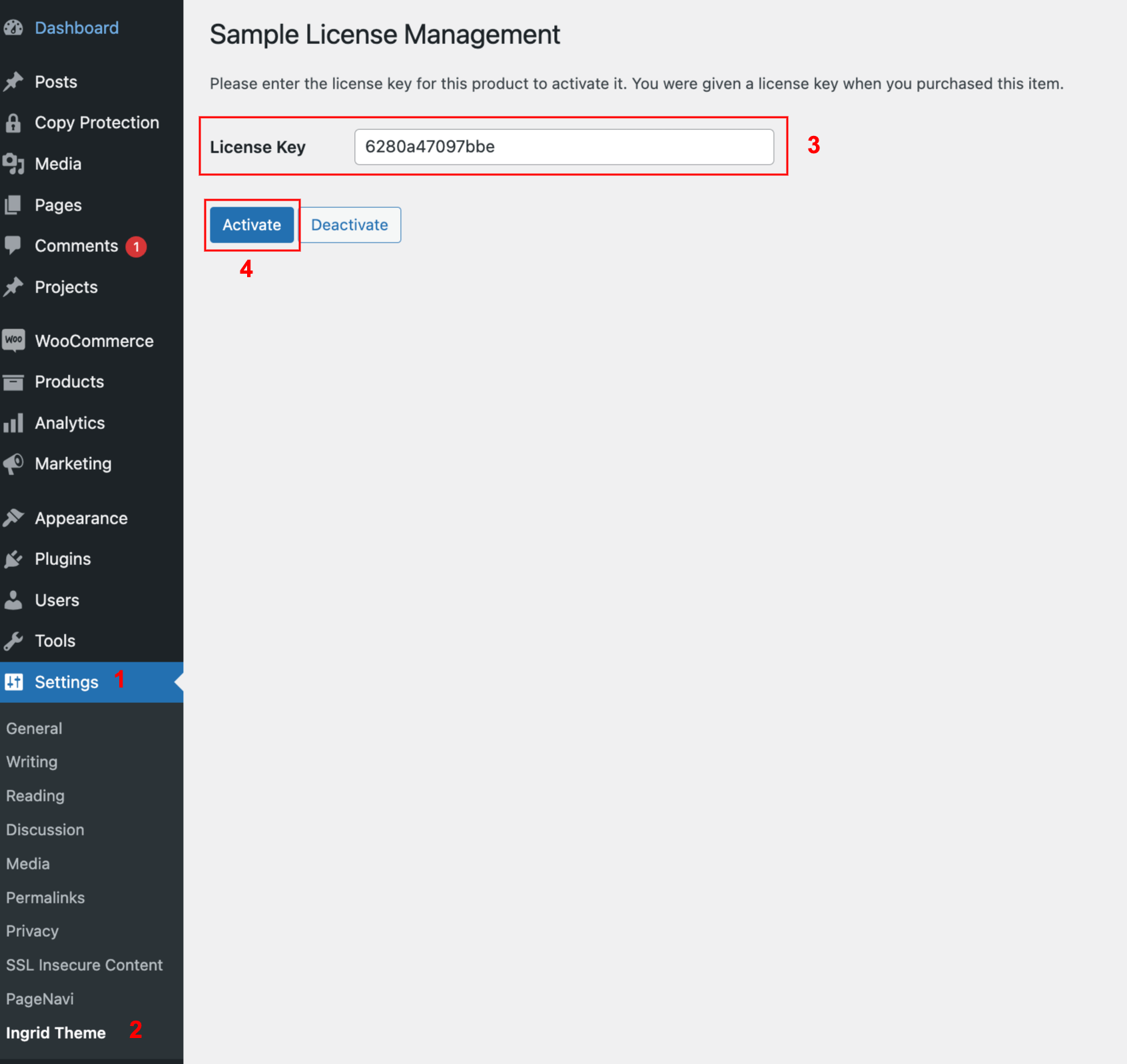
To activate your product and get updates please go to Settings > Yourtheme Licence and enter your Licence Key that you´ll find inside your package (yourtheme licence.pdf).
Related Articles
  • 7. Import DIVI BUILDER ( Footer / Header / Blog Post,… )
  • 6. Import DEMO content
  • 4. Setup permalinks
  • 3. Setup plugins
  • 2. How To Install Theme
  • 1. Introducing Your Divi Child Theme
1. Getting - Started
  • 5. Activate your product
  • 1. Introducing Your Divi Child Theme
  • 2. How To Install Theme
  • 3. Setup plugins
  • 4. Setup permalinks
  • 6. Import DEMO content
  • 7. Import DIVI BUILDER ( Footer / Header / Blog Post,… )

  2. How To Install Theme

  • Privacy Policy
  • Terms of Use
  • Copyright 2023. All Rights Reserved.