Sections are the biggest building block in the Divi builder. You can think of them as horizontal stacking blocks that can group your content into visually distinguishable areas.
In Divi, everything you build starts with a section. This content wrapper has various settings that can be used to do some really awesome things.
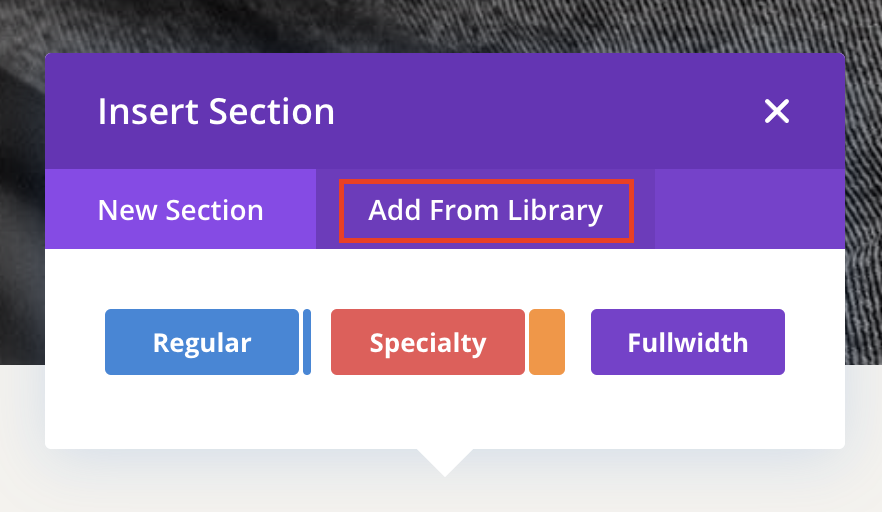
To Load a Original/Saved Sections from your Divi Library:
This is a good option if you want reset your page and rebuild a demo page again (You have all demo page layouts in Divi Library).
- Create a new page or edit an existing page and enable the Visual Builder.
- Click on the Add New Section icon

- Click on Add From Library Tab.
To Save a Section in your Divi Library:
- Edit any page that contains a Divi Section and enable the Visual Builder
- Hover over the section you want to save to Divi Library.
- Click on the Save Section to Library icon

- Give the Section a descriptive name which will be used to identify the layout when loading it in the future.
- Click on the Save To Divi Library button.
Need Further Tutorials?
The Divi Library: https://bit.ly/2y02usT
Getting Started With The Divi Builder: https://bit.ly/39XEML0
Importing & Exporting Divi Builder Layouts & Library Collections: https://bit.ly/34tRxfl