• HOME
  • DIVI BEGINNERS
  • TUTORIALS
  • TROUBLESHOOTING
  • SUBMIT A TICKET
  • HOME
  • DIVI BEGINNERS
  • TUTORIALS
  • TROUBLESHOOTING
  • SUBMIT A TICKET
home/Knowledge Base/2. Kathy - Use Divi Visual Builder/Kathy – How to add an overlay to parallax background

Kathy – How to add an overlay to parallax background

Adding an overlay to a Background image is really easy in Divi.

All you have to do is set a Background Color and then set the Background Blend Mode to Overlay.

However this does not work if Parallax Effect is set to Yes in the Background settings.
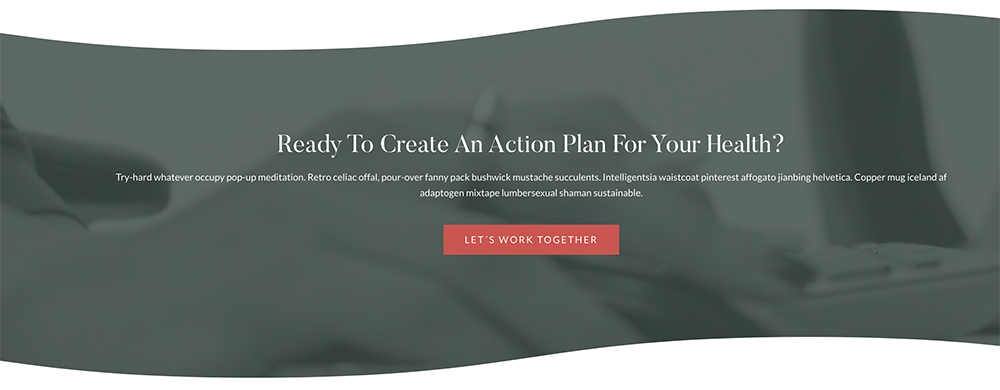
 

I will share a simple trick to add an overlay on background images that have a Parallax Effect.


Add Overlay Color to Parallax Background


To add a simple overlay on top of the Background Image in a Section or Row, open the Settings > Advanced > Custom CSS >
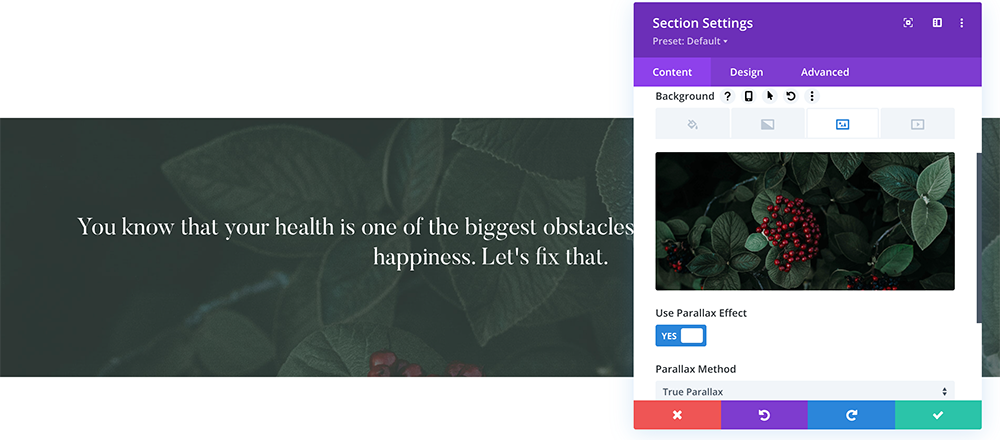
Before and then add the below code.

You´ll find a code like this:

content:"";
display: block;
position: absolute;
top: 0;
left: 0;
width: 100%;
height: 100%;
background-color: #404f4b;
opacity: 0.9;
z-index: 1;


https://www.support.helplovelyconfetti.com/wp-content/uploads/2022/01/Overlay-to-Parallax-Section.webm


Add Gradient Overlay to Parallax Background


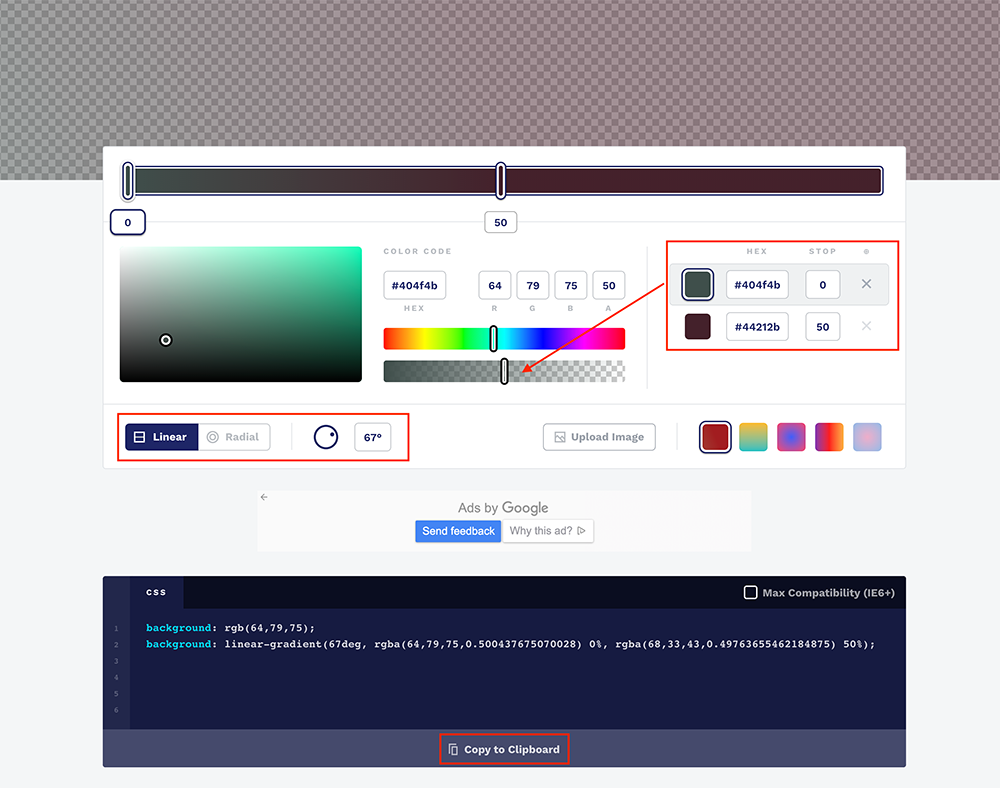
The code to add a gradient overlay to a parallax background is very similar to the code above. However writing the css code for gradient is not easy.

Luckily you can use CSSGradient.io to generate the css code for the gradient.
Related Articles
  • Kathy – How to add a video background
  • Kathy – How to edit Testimonials
  • Kathy – How to edit Services
  • Kathy – How to edit Hero
  • Kathy – How to edit texts
  • Kathy – How to edit images
2. Kathy - Use Divi Visual Builder
  • Kathy – How to add an overlay to parallax background
  • Kathy – How to enable the Divi Visual Builder
  • Kathy – Choose your Home
  • Kathy – How to edit images
  • Kathy – How to edit texts
  • Kathy – How to edit Hero
  • Kathy – How to edit Services
  • Kathy – How to edit Testimonials
View All 8  

  Kathy – How to edit Hero

Kathy – How to add a video background  

  • Privacy Policy
  • Terms of Use
  • Copyright 2023. All Rights Reserved.