Google Body font: Lato
Google Headings font: Instrument Serif
How to edit text:
- Click on Enable Visual Builder in the top bar.
- Making changes to text with the Divi Visual Builder is as simple as clicking and typing.
How to Globally Change the Website Font in Divi:
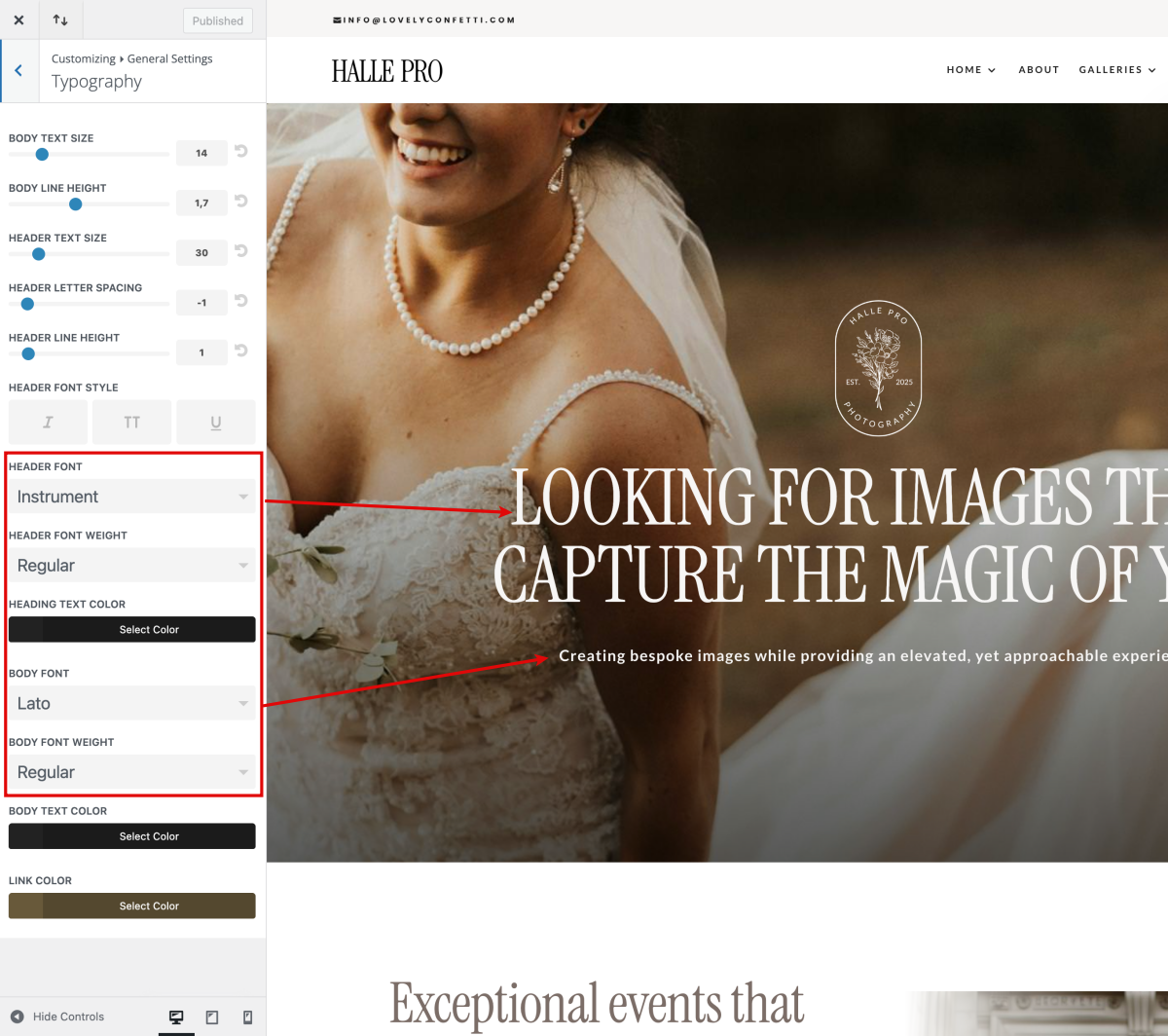
Fonts used in Halle Pro Theme are Instrument in headers, Lato in body.
Navigate to Divi > Theme Customizer > General Settings > Typography > Select your Header/body font.
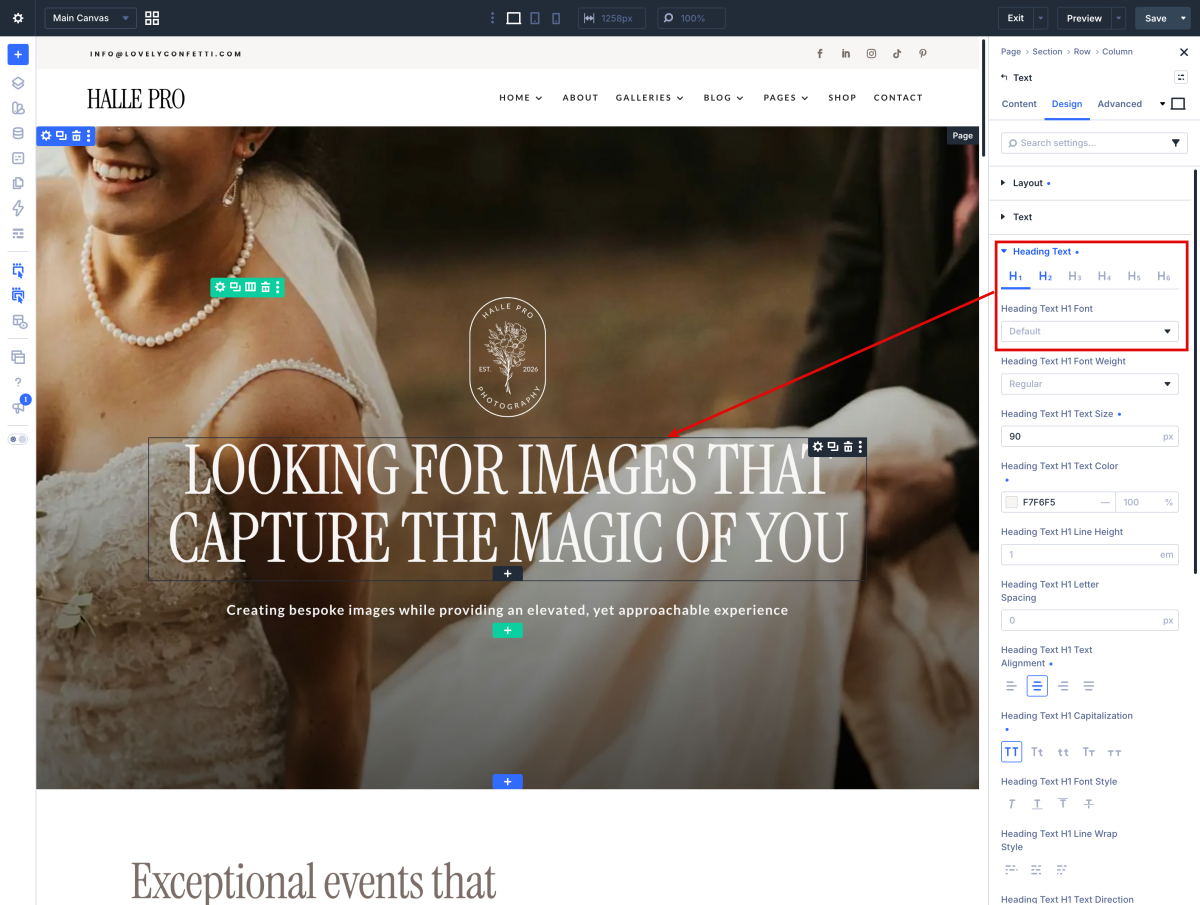
How to Change Font in Divi Modules:
Each module have a design option where how you want it by choosing the text color, orientation, font, font size, font spacing, and line height.
How to add a Custom Font to your Divi website:
- Open the Divi Visual Builder and go to any design module that shows a font.
- Click “upload” and select your font (supported file formats are: .OTF, .TTF, .EOT, .WOFF, WOFF2).
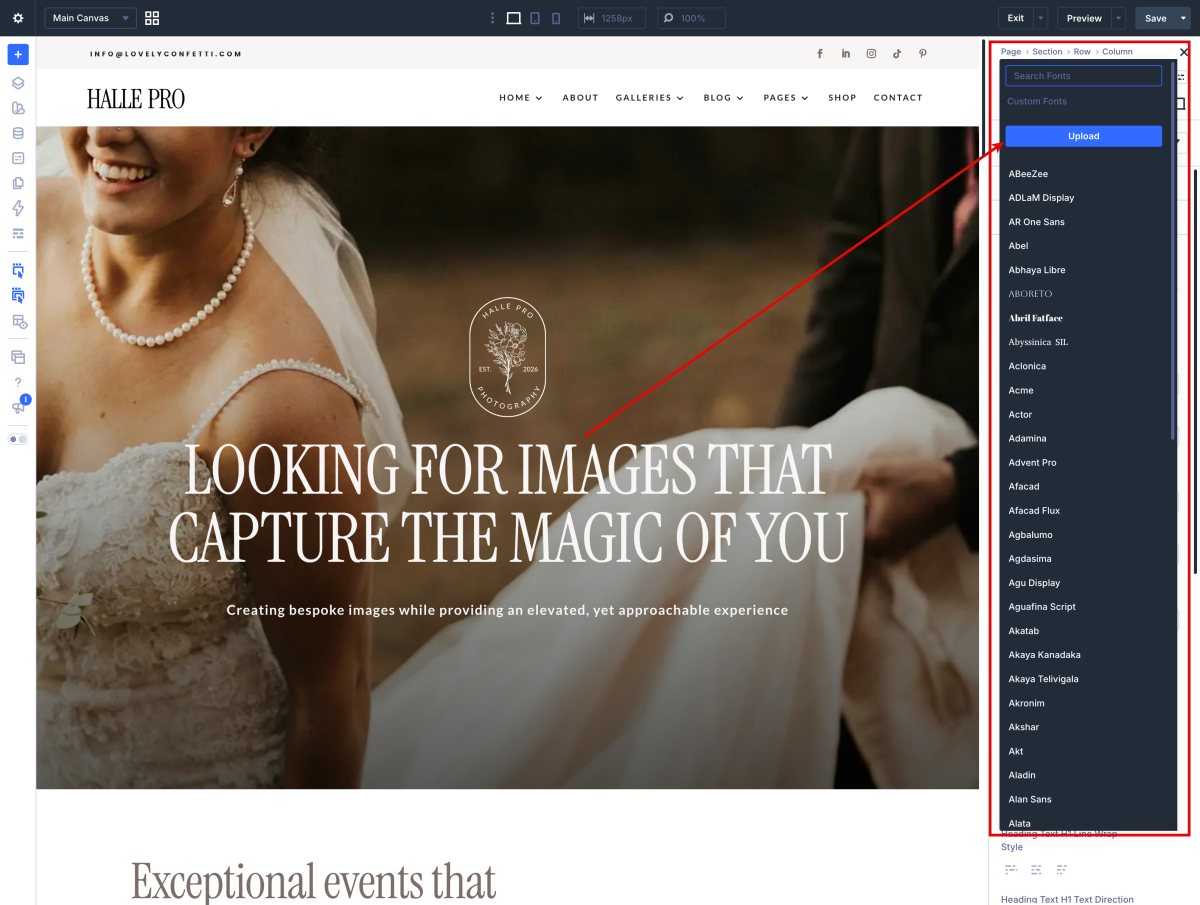
Once the fonts are loaded you can use them globally font in the headings.
Need Further Tutorials?
Divi 5 Visual Builder Interface: https://shortlink.uk/1wHmX
The Heading Module in Divi 5: https://shortlink.uk/1wHj8
The Divi Text Module in Divi 5: https://shortlink.uk/1wHlz