Before you start
Marlee is a Divi child theme: it adds the demo templates, the license manager and the import tools to a site that already has the Divi theme installed.
Before installing Marlee, make sure the site meets this:
- WordPress installed and running.
- The parent theme Divi (by Elegant Themes) already installed and active — Marlee won’t work without it.
- Admin access to the WordPress dashboard (
wp-admin). - The
marlee-divi-child.zipfile provided with the template.
Step 1: Install the theme
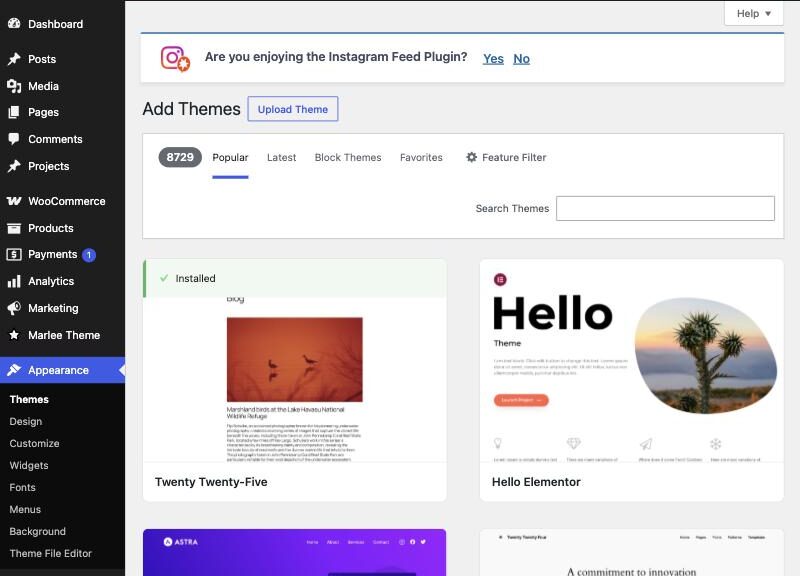
- In the WordPress dashboard, go to Appearance → Themes → Add New.
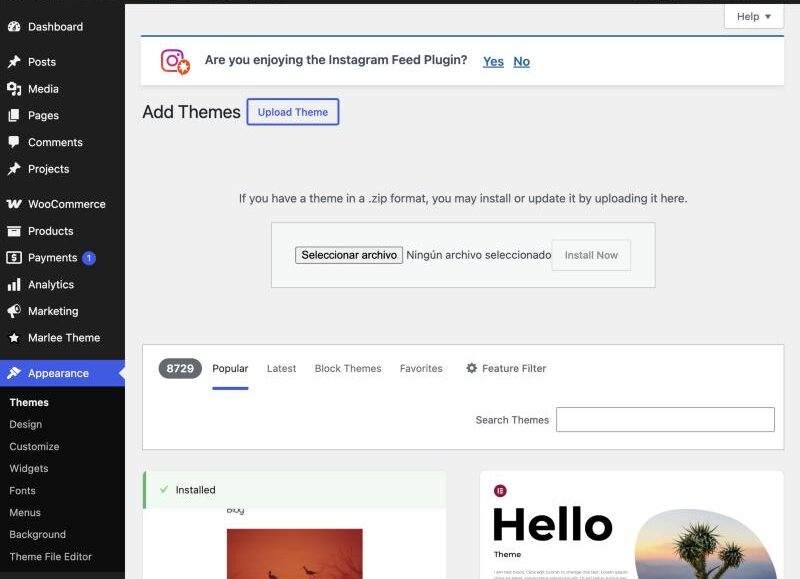
- Click Upload Theme, at the top of the screen.
- Select the
marlee-divi-child.zipfile and click Install Now. - Once installation finishes, click Activate.
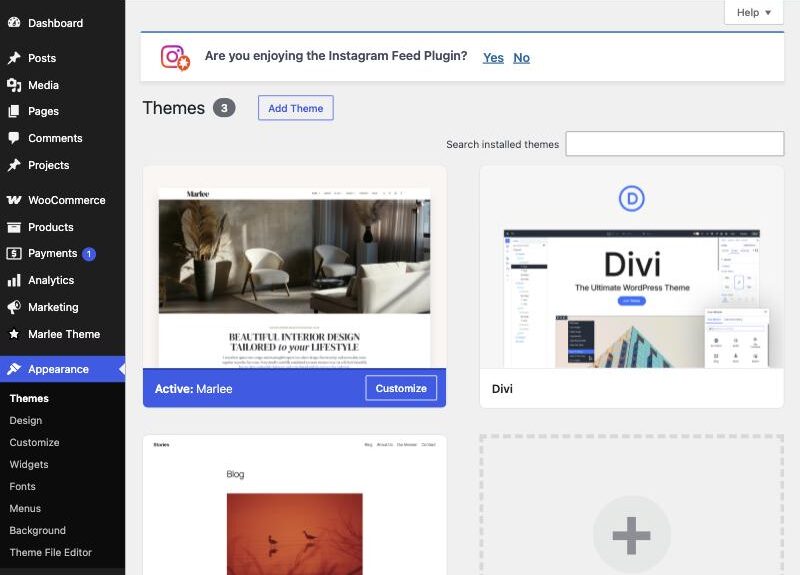
With this, Marlee is now active as a Divi child theme, and a new Marlee Theme section appears in the WordPress dashboard’s side menu.