HOME
DIVI BEGINNERS
TUTORIALS
TROUBLESHOOTING
SUBMIT A TICKET
HOME
DIVI BEGINNERS
TUTORIALS
TROUBLESHOOTING
SUBMIT A TICKET
home
/
Knowledge Base
/
1. Getting - Started Marlee
/
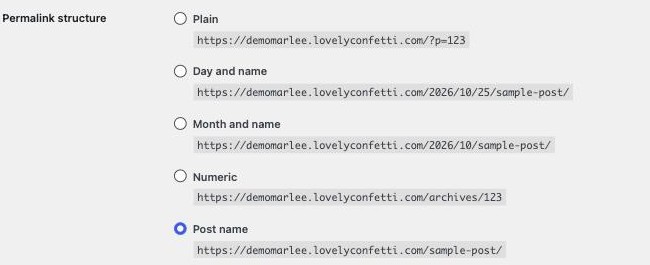
Step 6: Set permalinks
Step 6: Set permalinks
Go to
Settings > Permalinks,
select
“Post name”
and click
Save Changes.
Related Articles
Step 5: Import demo content
Step 4: Install the required plugins
Step 3. Activate your product
Step 2. How To Install Theme
Step 1. Introducing Your Divi Child Theme
Step 5: Import demo content