Create an anchor text link in Divi
Creating an anchor link takes 2 steps. The first step is to create the anchor link and the second step is to assign this anchor to a point on your page (where it needs to go).
Step 1
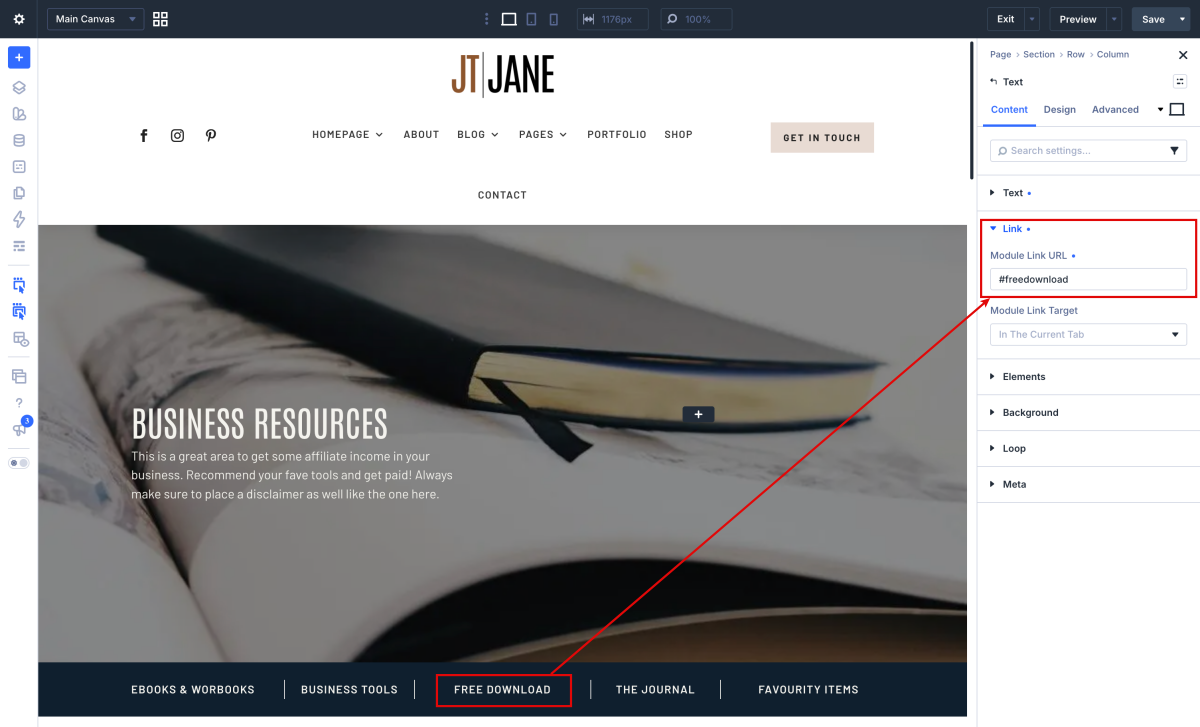
Create the text for you anchor link or button and then add a hyperlink on it just like you would do when creating a normal link.
Open your text, button, image,.. module and instead of linking it to another page we add an anchor tag that starts with “#” followed by the anchor name. (Example #education)
Step 2
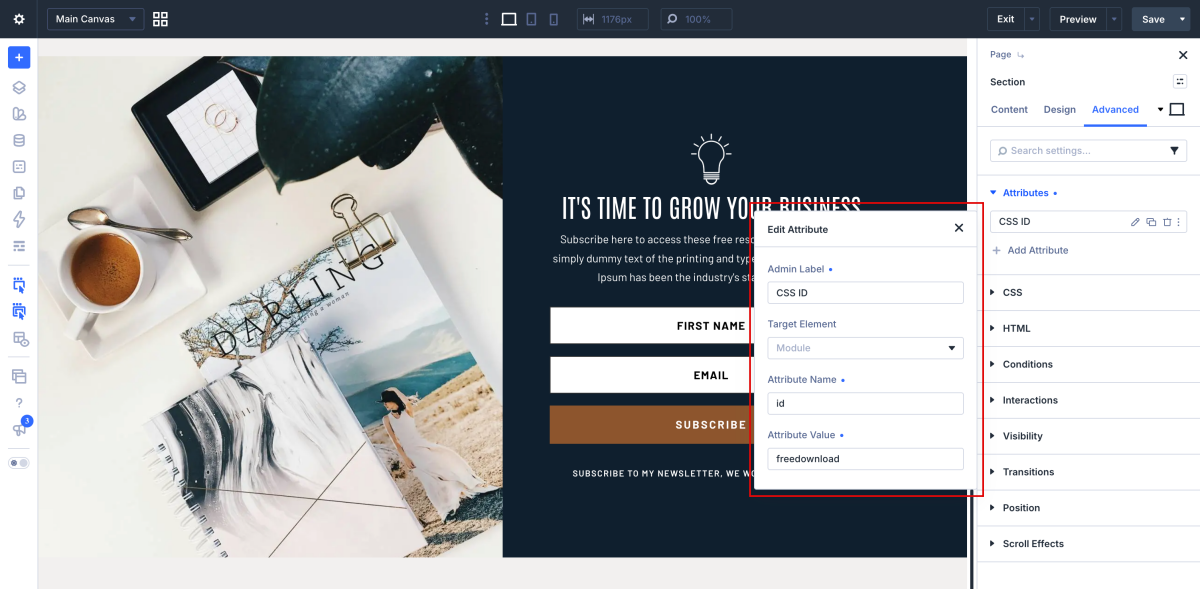
Now you need to assign the anchor link to a section of your page so when you clicked on the anchor link it will jump to that part of the page.
Open your section, row or module and go to the advanced tab. In the CSS ID & Classes fil in the anchor ID in the CSS ID field.
How to an extra anchor text link in package
- Duplicate a column with module.
- Create a new anchor name in button module.
- Duplicate or create a new a section and edit it.
- Assign the anchor ID.