• HOME
  • DIVI BEGINNERS
  • TUTORIALS
  • TROUBLESHOOTING
  • SUBMIT A TICKET
  • HOME
  • DIVI BEGINNERS
  • TUTORIALS
  • TROUBLESHOOTING
  • SUBMIT A TICKET
home/Knowledge Base/4. Jane Pro - Theme Settings/Jane Pro – How to change global colors

Jane Pro – How to change global colors

COLOR GUIDE:

Color Light: #f2f0ef

Color Medium: #e8dbd3

Color Dark: #81553b

Color Accent: #0f1f2e

Headings & Body: #222222


How to change Theme Color Scheme


Saving colors can be accomplished by setting a default color palette in Divi’s theme options. To set your colors, navigate to Divi > Theme Options > General > Color Pickers Default Palette.
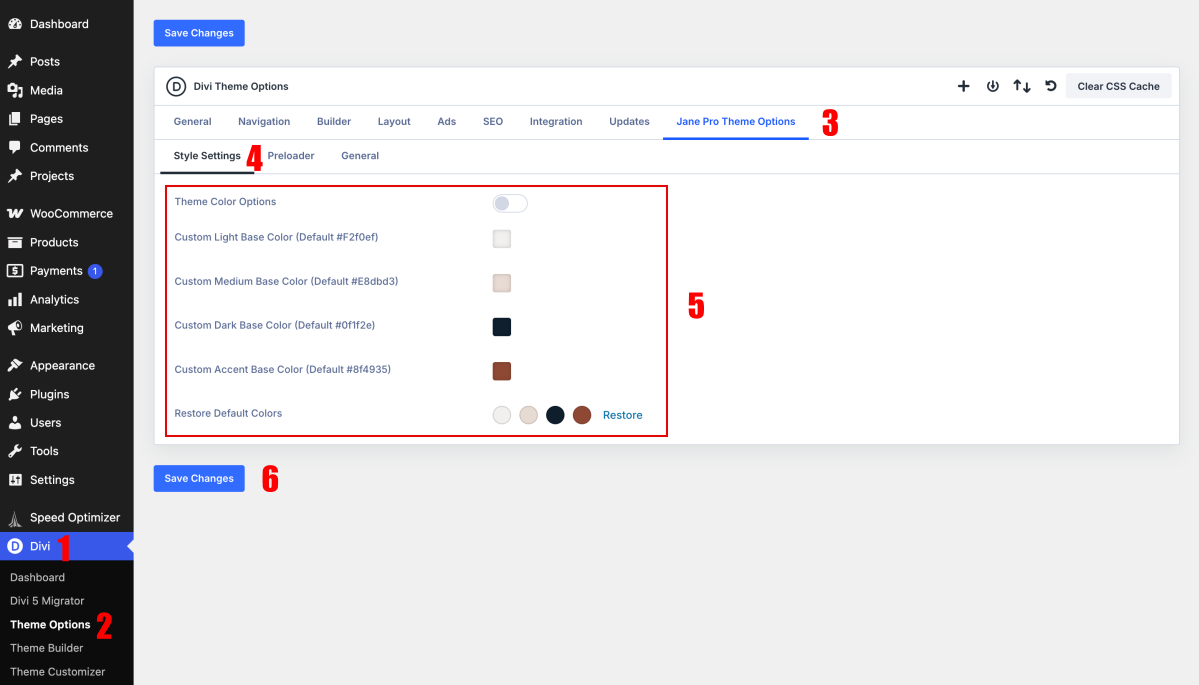
 

If you don´t want use Jane Pro Theme Otions, disable and use Divi Variable Manager.


How to change global Colors


Open any page in the Visual Builder and click the Variable Manager icon in the left sidebar.
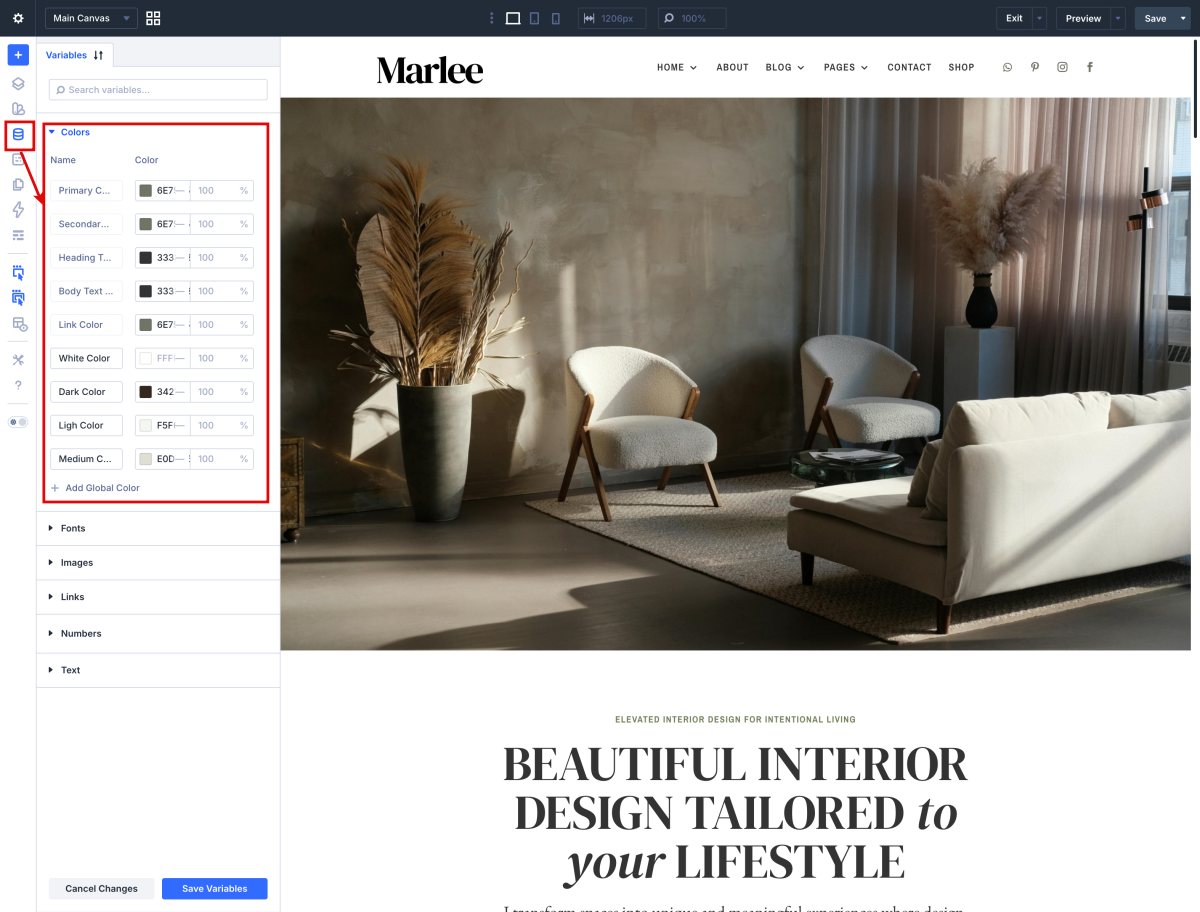
 

How to apply Global Variables in your designs

Divi 5 - Assign a Global Color variable to Text Color option


How to change global buttons


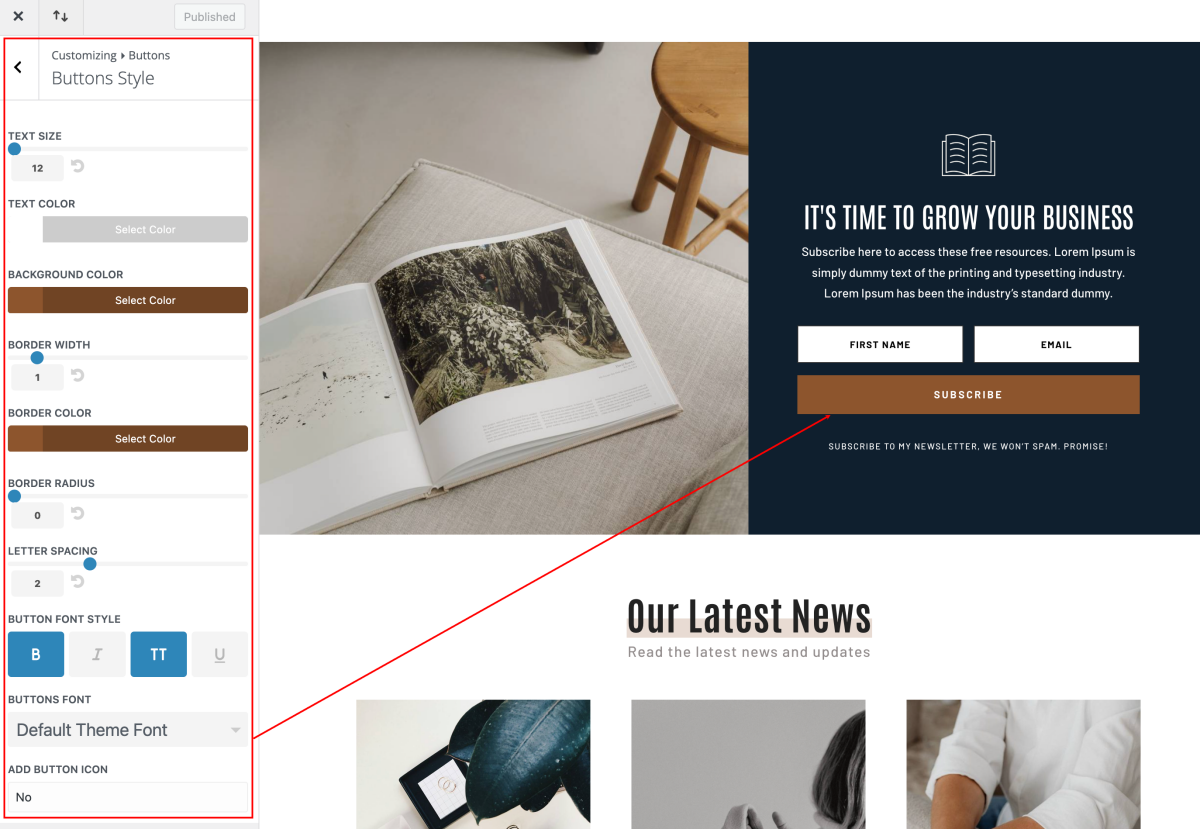
Navigate to Appearance > Customize > Buttons > Buttons Styles and Button Hover Styles.

You can change the color of your button text & background, adjust the button font size and style, and even create rounded buttons using the border-radius slider. In addition, you can change the default font and icon used within the buttons.
 

Need Further Tutorials?

The Divi Color Management: https://l1nq.com/dkjLY

Divi Buttons in Theme Customizer: https://encr.pw/pnSov

Tags:4. Jane Pro - Theme Settings
Related Articles
  • Jane Pro – How To Add A Marquee Banner
  • Jane Pro – How to add lovely icons to Blurbs
  • Jane Pro – How to Create an anchor text link in Resources and Sales Page
  • Jane Pro – How to Design a Product Page Template
  • Jane Pro – How to Design a Blog Post Template
  • Jane Pro – How to Import an Element from the Divi Library
4. Jane Pro - Theme Settings
  • Jane Pro – How to change global colors
  • Jane Pro – How to Import and edit Footer
  • Jane Pro – How to Import and edit Header
  • Jane Pro – How to configure Contact Form
  • Jane Pro – How to add Filterable portfolio
  • Jane Pro – How to Save elements to the Divi Library
  • Jane Pro – How to Import an Element from the Divi Library
  • Jane Pro – How to Design a Blog Post Template
View All 11  

  Jane Pro – How to configure Contact Form

Jane Pro – How to add lovely icons to Blurbs  

  • Privacy Policy
  • Terms of Use
  • Copyright 2023. All Rights Reserved.