• HOME
  • DIVI BEGINNERS
  • TUTORIALS
  • TROUBLESHOOTING
  • SUBMIT A TICKET
  • HOME
  • DIVI BEGINNERS
  • TUTORIALS
  • TROUBLESHOOTING
  • SUBMIT A TICKET
home/Knowledge Base/Divi - Settings/How do I upload header logo

How do I upload header logo

The default Divi logo that comes with Divi is a PNG at 93 x 43 pixels. You can adjust the size of the logo in Divi’s theme customizer, but you can’t adjust it larger than its native pixel size.


Note – PNG is the best choice because they have a small file size and transparent backgrounds. Inside package I´ve included archive .psd with demo logo that you can edit.


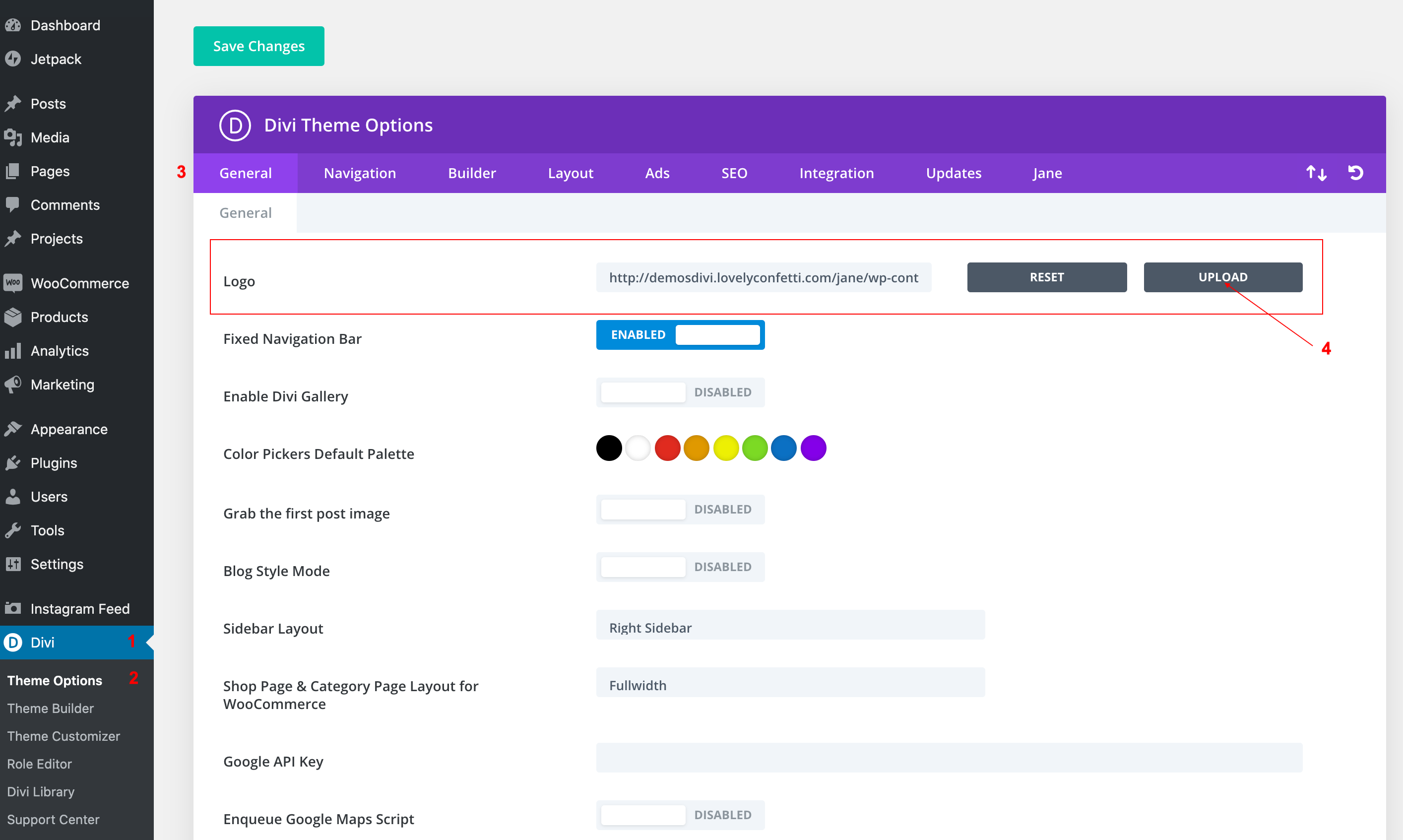
  1. Go to Divi > Theme Options.
  2. Within the Theme Options, under the General > General tab > Logo
  3. Upload your logo header.

Related Articles
  • How to configure 404 Page
  • How to Add Shop (WooCoommerce)?
  • How Do I Make a Coming Soon Page?
  • How to create a Blank Page Template (no header/footer)
  • How to add a Custom Font to your Divi website
  • How to add Instagram feed
Divi - Settings
  • How do I upload header logo
  • How do I change site font family?
  • How do I se tup menus
  • Halle – How to add Filterable portfolio

  How to add a Custom Font to your Divi website

How do I se tup menus  

  • Privacy Policy
  • Terms of Use
  • Copyright 2023. All Rights Reserved.