• HOME
  • DIVI BEGINNERS
  • TUTORIALS
  • TROUBLESHOOTING
  • SUBMIT A TICKET
  • HOME
  • DIVI BEGINNERS
  • TUTORIALS
  • TROUBLESHOOTING
  • SUBMIT A TICKET
home/Knowledge Base/3. Theme Settings/General options

General options

Available options:

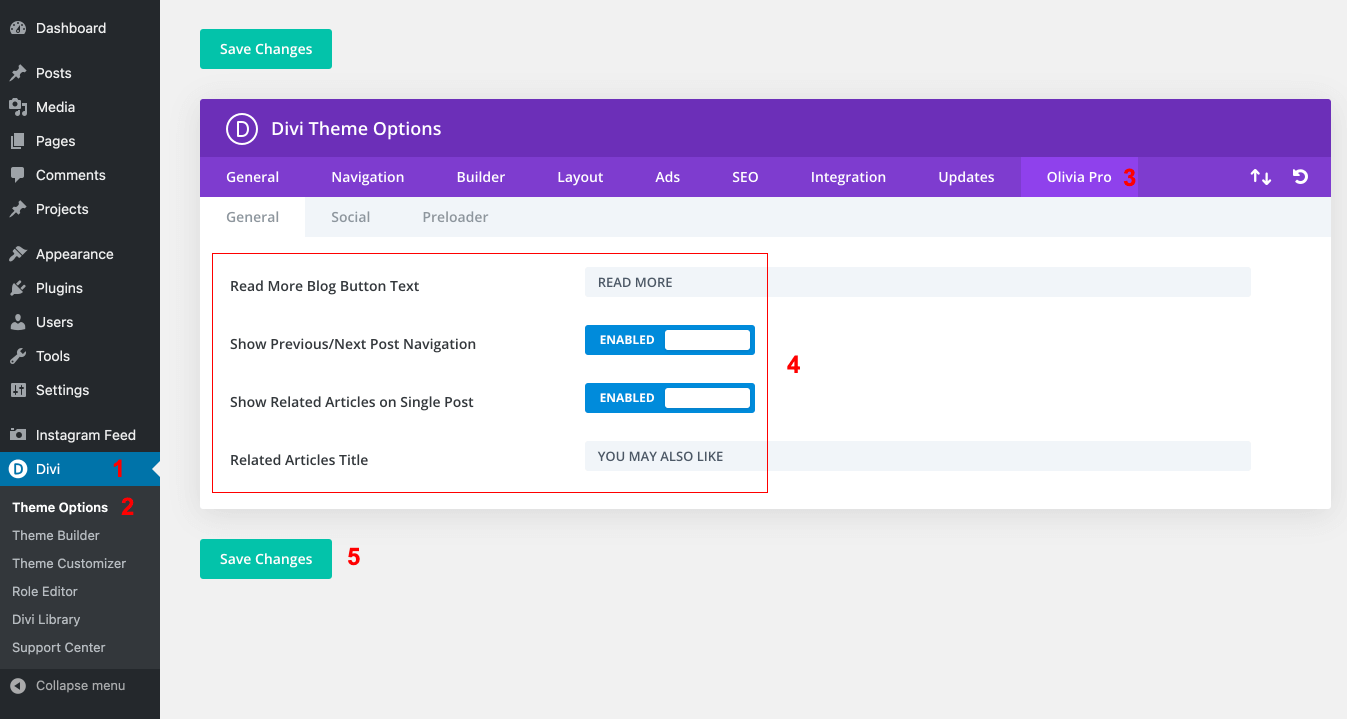
Read More Blog Button Text – changes the default text on all Divi Blog Modules.
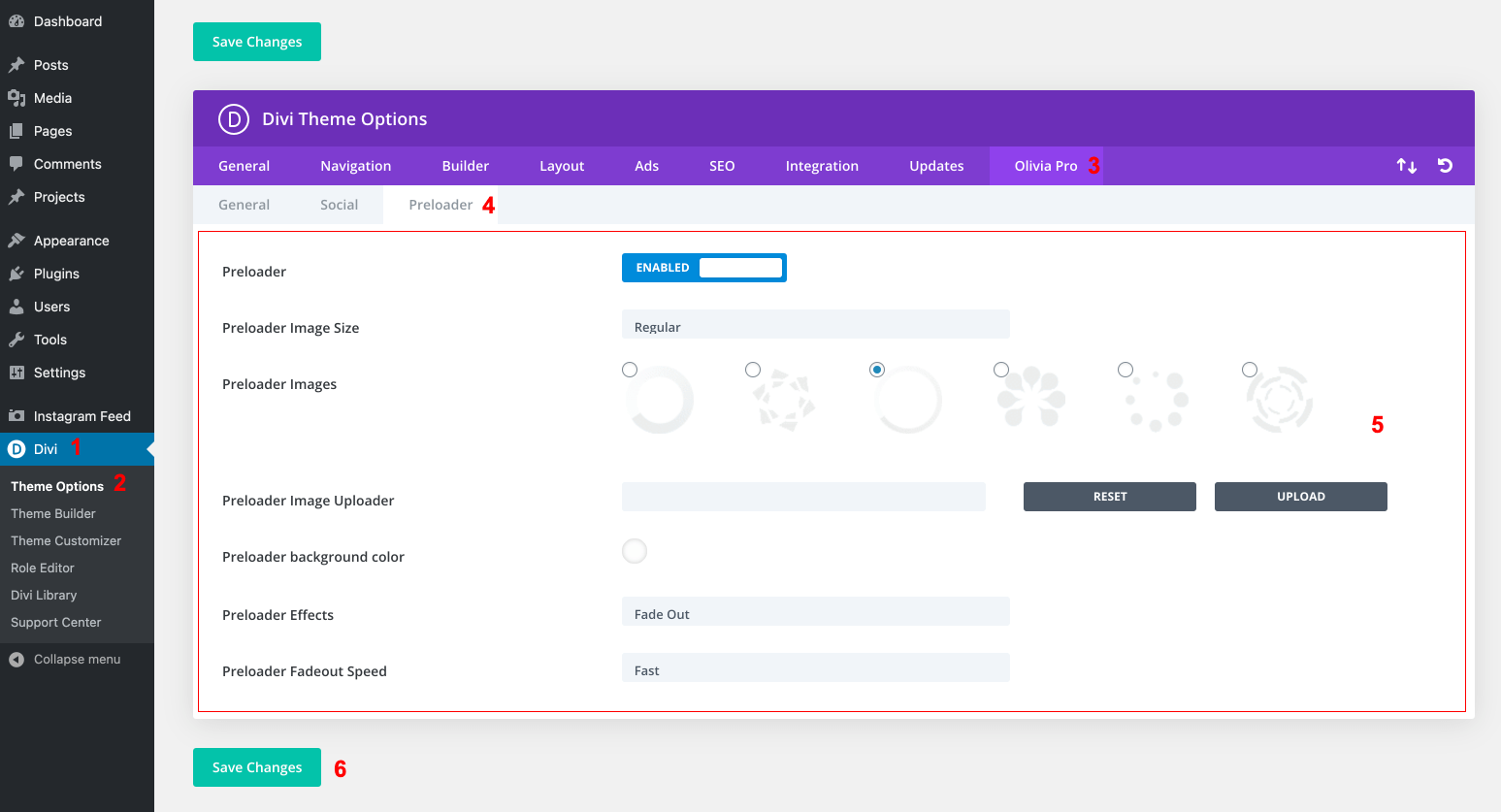
Show Preloader – Change or upload own preloaded – Enabled / Disabled
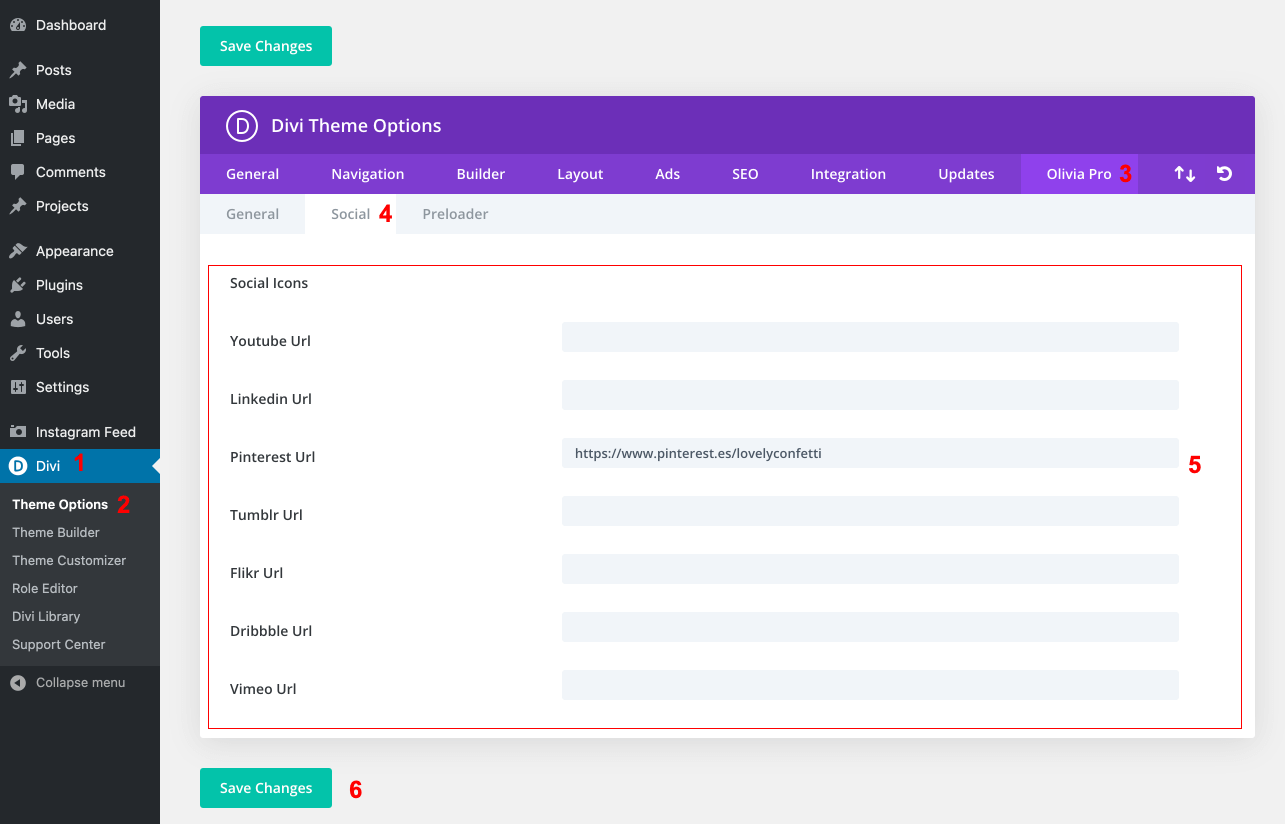
Social – This option allows you to add more Social Profiles to the default Divi Social icons/links, which can be displayed in the header or the bottom footer.


Related Articles
  • How to configure 404 Page
  • How to Add Shop (WooCoommerce)?
  • How Do I Make a Coming Soon Page?
  • How to create a Blank Page Template (no header/footer)
  • How to add a Custom Font to your Divi website
  • How to add Instagram feed
3. Theme Settings
  • General options
  • How do I upload header logo
  • How do I se tup menus
  • How to add Instagram feed
  • How to add a Custom Font to your Divi website
  • How to create a Blank Page Template (no header/footer)
  • How Do I Make a Coming Soon Page?
  • How to Add Shop (WooCoommerce)?
View All 8  

  How Do I Make a Coming Soon Page?

  • Privacy Policy
  • Terms of Use
  • Copyright 2023. All Rights Reserved.