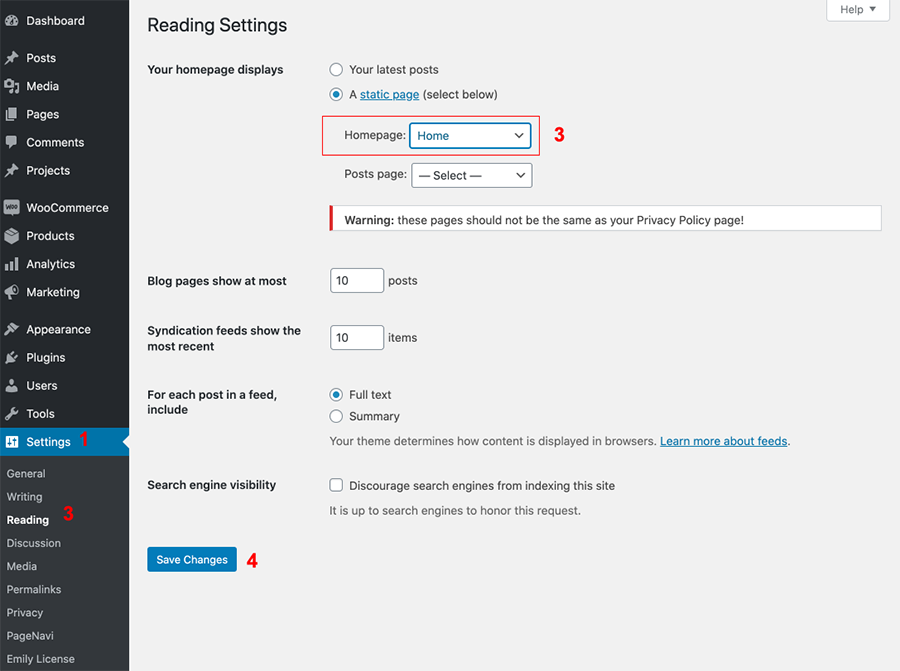
Vivien Pro has 4 Homepages to choose so you can choose one of the existing homes to be served as the Front Page of your site.
- Log into WordPress
- Go to Settings > Reading > Choose your Static Page.
- On the Reading Settings page choose A static page (select below) option for Your homepage displays.
- Then in the drop down choose your Homepage and press the Save Changes button at the bottom.
- Do not assign Post Page.