• HOME
  • DIVI BEGINNERS
  • TUTORIALS
  • TROUBLESHOOTING
  • SUBMIT A TICKET
  • HOME
  • DIVI BEGINNERS
  • TUTORIALS
  • TROUBLESHOOTING
  • SUBMIT A TICKET
home/Knowledge Base/2. Michelle - Use Divi Visual Builder/Michelle – How to edit texts

Michelle – How to edit texts

Google Body font: Poppins

Google Headings font: DM Serif Text


How to edit text:


  1. Click on Enable Visual Builder in the top bar.
  2. Making changes to text with the Divi Visual Builder is as simple as clicking and typing.


https://www.support.helplovelyconfetti.com/wp-content/uploads/2024/10/Michelle-Edit-Texts.webm


How to Globally Change the Website Font in Divi:

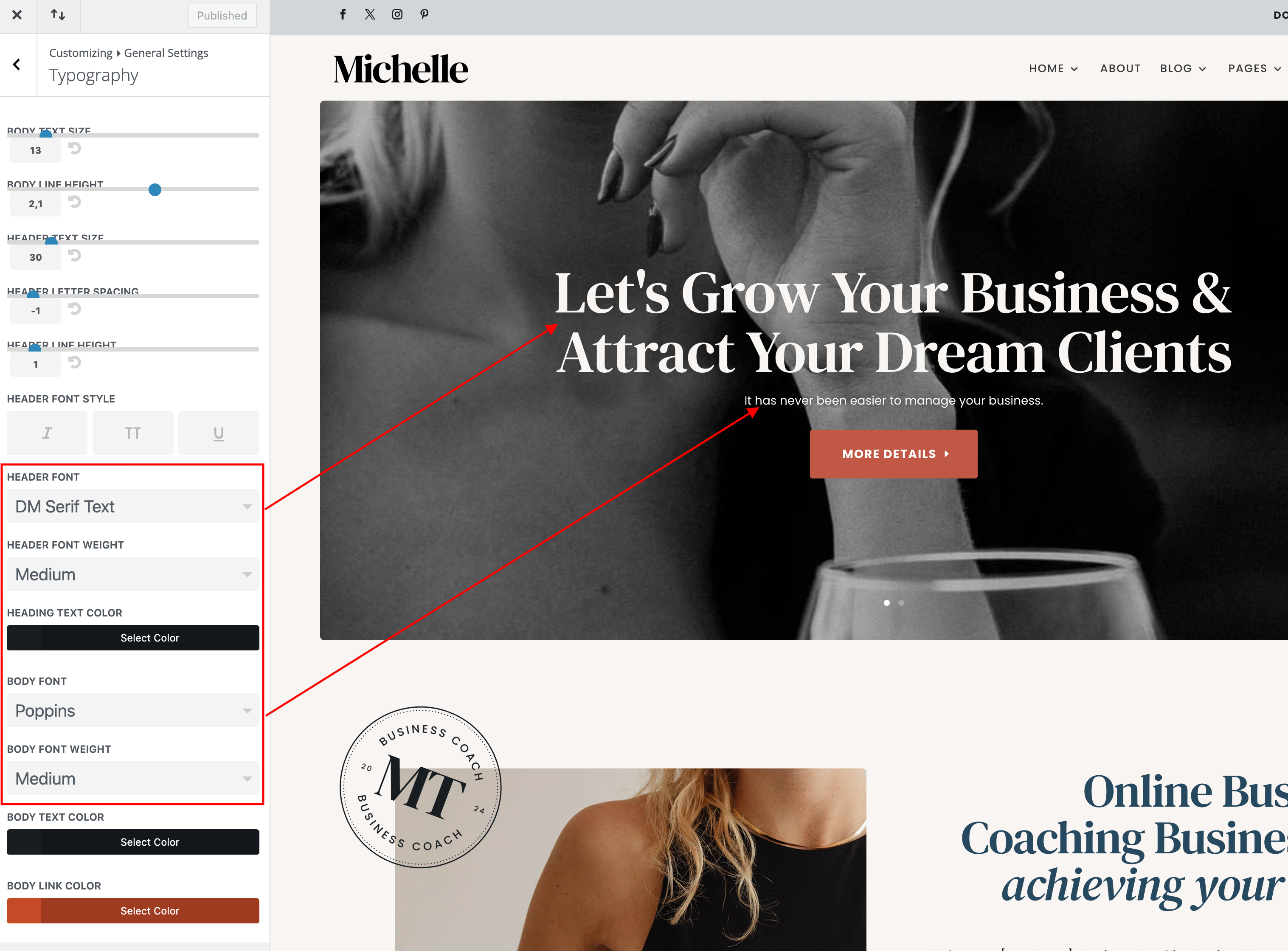
Fonts used in Michelle Theme are DM Serif Text  in headers, Poppins in body.

Navigate to Divi > Theme Customizer > General Settings > Typography > Select your Header/body font.
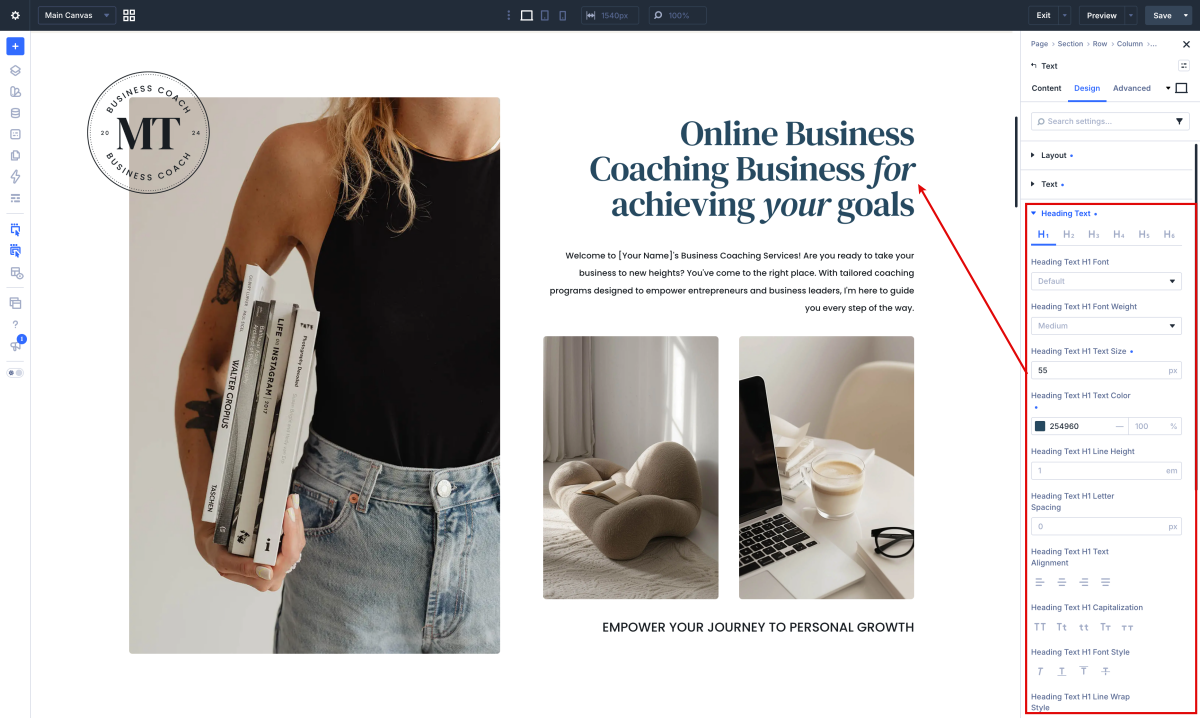
How to Change Font in Divi Modules:

Each module have a design option where how you want it by choosing the text color, orientation, font, font size, font spacing, and line height.
How to add a Custom Font to your Divi website and use it globally:

  1. Open the Divi Visual Builder and go to any design module that shows a font.
  2. Click “upload” and select your font (supported file formats are: .OTF, .TTF, .EOT, .WOFF, WOFF2).
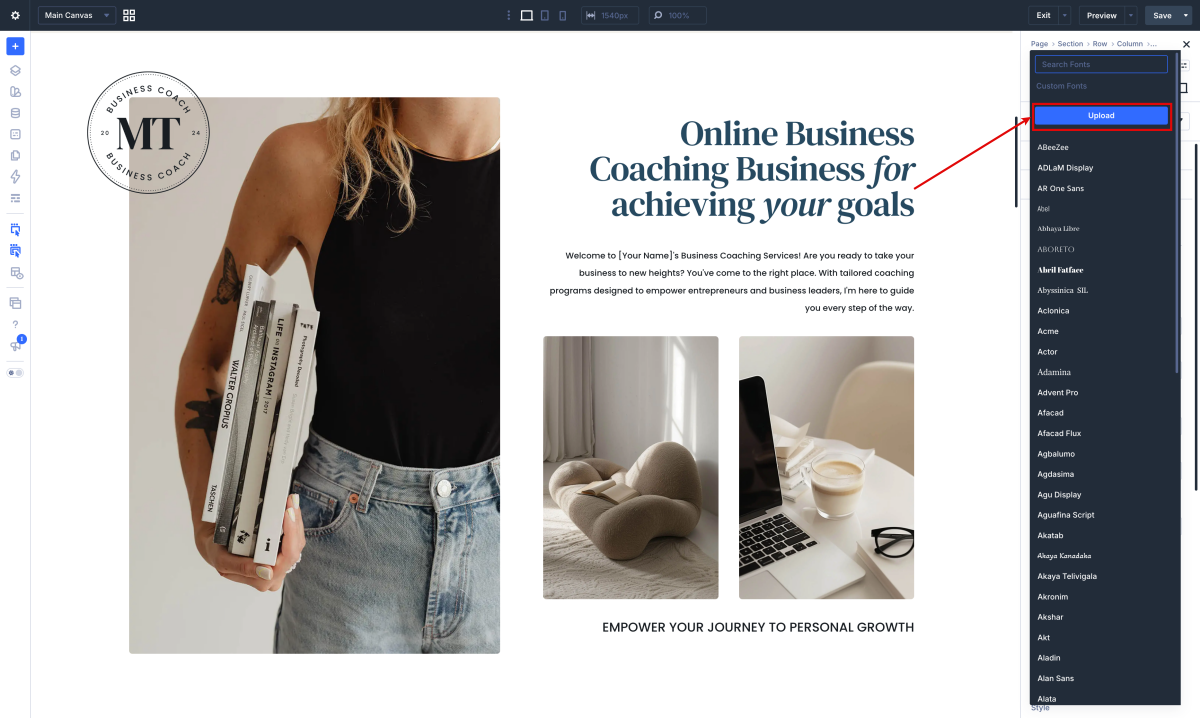
Once the fonts are loaded you can use them globally as is the case of the Sloop Script Regular font in the headings.

Need Further Tutorials?

The Divi Text Module: https://bit.ly/39TuifW

Related Articles
  • Michelle – How to edit Testimonials
  • Michelle – How to edit About
  • Michelle – How to edit Services
  • Michelle – How to edit Hero
  • Michelle – How to edit images
  • Michelle – Choose your Home
2. Michelle - Use Divi Visual Builder
  • Michelle – How to edit texts
  • Michelle – How to enable the Divi Visual Builder
  • Michelle – Choose your Home
  • Michelle – How to edit images
  • Michelle – How to edit Hero
  • Michelle – How to edit Services
  • Michelle – How to edit About
  • Michelle – How to edit Testimonials

  Michelle – How to enable the Divi Visual Builder

Michelle – How to edit Testimonials  

  • Privacy Policy
  • Terms of Use
  • Copyright 2023. All Rights Reserved.