• HOME
  • DIVI BEGINNERS
  • TUTORIALS
  • TROUBLESHOOTING
  • SUBMIT A TICKET
  • HOME
  • DIVI BEGINNERS
  • TUTORIALS
  • TROUBLESHOOTING
  • SUBMIT A TICKET
home/Knowledge Base/1.Ingrid - Use Divi Visual Builder/Ingrid – How to add a video background

Ingrid – How to add a video background


Step 1: Look for your perfect Video Background


You can upload your own video or use a Free Stock Video Website like Pexels and look for a video that covers your business needs.

In Pexels, all videos are free for personal and commercial use.

You can look for your videos by topic and choose position and size.

How to Add a Video Background in Divi - Pexels


Step 2: Upload Your Background Video


  • Once You´ve download your lovely video Open the Divi Section Options.
  • Upload Your Background Video, This is where we can upload our video. (Note that it is recommended that you upload the video in MP4 format to ensure maximum browser compatibility.)
  • Save Your Background Video Choice.
  • Add Some Content to that section, For example I´ve added a Call To Action.

How to Add a Video Background in Divi - Upload


Step 3: Customize adding a lovely overlay


By default it’s not possible to add overlay effect to a section or any other Divi modules that contain a video background.

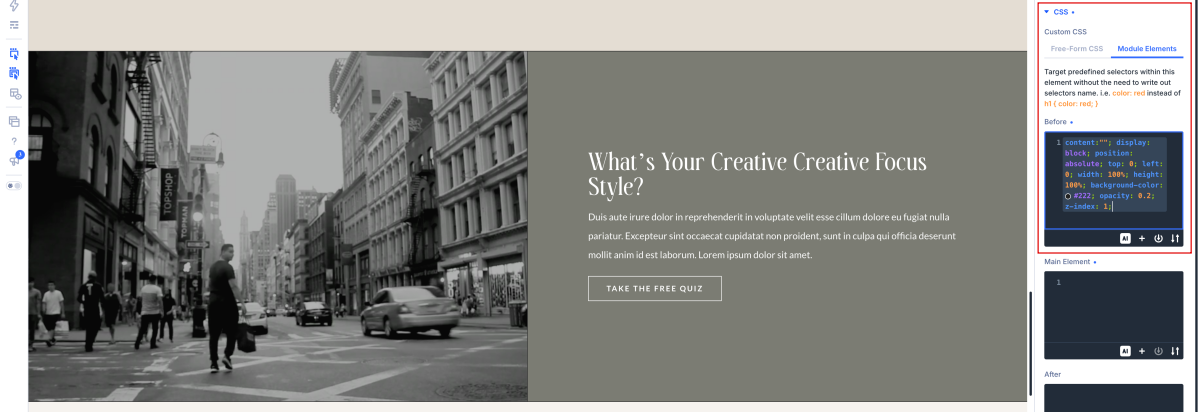
Next, and the following code under the Section >  Advanced tab  > Custom CSS >  Before Element field:

content:"";
display: block;
position: absolute;
top: 0;
left: 0;
width: 100%;
height: 100%;
background-color: #7b7c73;
opacity: 0.8;
z-index: 1;


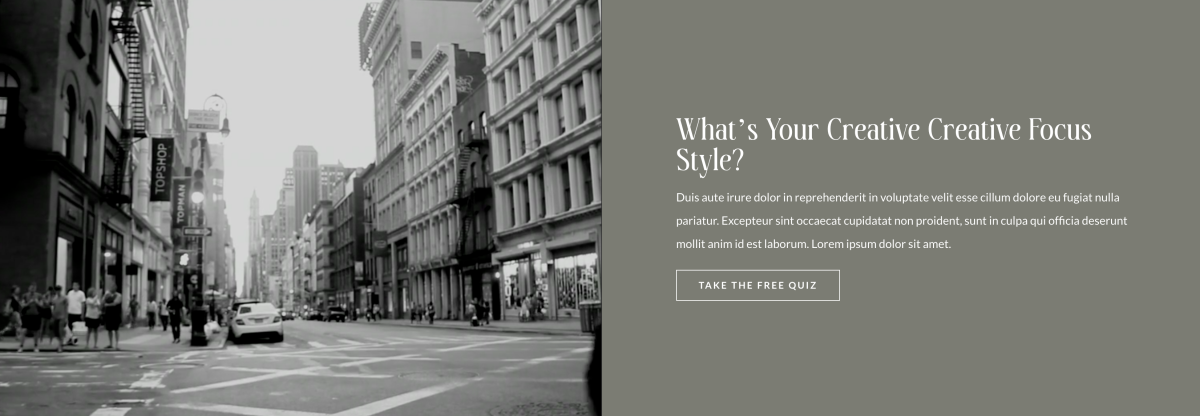
How to Add a Video Background in Divi - Overlay


  • View your Divi Background Video in Action.
https://www.support.helplovelyconfetti.com/wp-content/uploads/2022/05/Ingrid-Video-Background.webm
Related Articles
  • Ingrid – How to edit Carousel Logos
  • Ingrid – How To Add A Marquee Banner
  • Ingrid – How to edit Testimonials
  • Ingrid – How to edit Hero
  • Ingrid – How to edit texts
  • Ingrid – How to edit images and backgrounds
1.Ingrid - Use Divi Visual Builder
  • Ingrid – How to add a video background
  • Ingrid – How to enable the Divi Visual Builder
  • Ingrid – Choose your Home
  • Ingrid – How to edit images and backgrounds
  • Ingrid – How to edit texts
  • Ingrid – How to edit Hero
  • Ingrid – How to edit Testimonials
  • Ingrid – How To Add A Marquee Banner
View All 8  

  Ingrid – How to edit Carousel Logos

Ingrid – How To Add A Marquee Banner  

  • Privacy Policy
  • Terms of Use
  • Copyright 2023. All Rights Reserved.