• HOME
  • DIVI BEGINNERS
  • TUTORIALS
  • TROUBLESHOOTING
  • SUBMIT A TICKET
  • HOME
  • DIVI BEGINNERS
  • TUTORIALS
  • TROUBLESHOOTING
  • SUBMIT A TICKET
home/Knowledge Base/4. Halle Pro - Theme Settings/Halle Pro – Saving And Loading Layouts In Divi

Halle Pro – Saving And Loading Layouts In Divi

What is the Divi Library and why save or load an existing layout:

The Divi Library is place that stores pre-made layout templates as well as your custom saved layouts, modules and widgets (Divi > Divi Library).

Save a layout to the Divi Library if you would like to use it as a template for other posts or pages.  This will cut down on the creation time needed for those future posts or pages.

To Load a Original / Saved Layout from your Divi Library or duplicate a page:

This is a good option if you want reset your page and rebuild a demo page again (You have all demo page layouts in Divi Library).
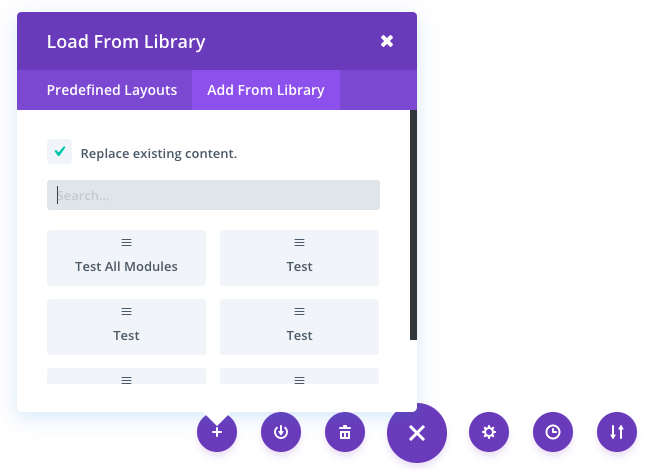
  1. First you want to add a new page or post depending on what you’re creating.
  2. Enter a post or page name and click “Use Divi Builder”.
  3. Click “Load from Library” or “Duplicate a page” in the top purple bar or your editor.
  4. Select “Your Save Layouts” in the top purple bar of the popup.
  5. Click on the saved layout you want to load.


https://www.support.helplovelyconfetti.com/wp-content/uploads/2025/05/JanePro-Load-Layouts.webm


To Save a Layout in your Divi Library:
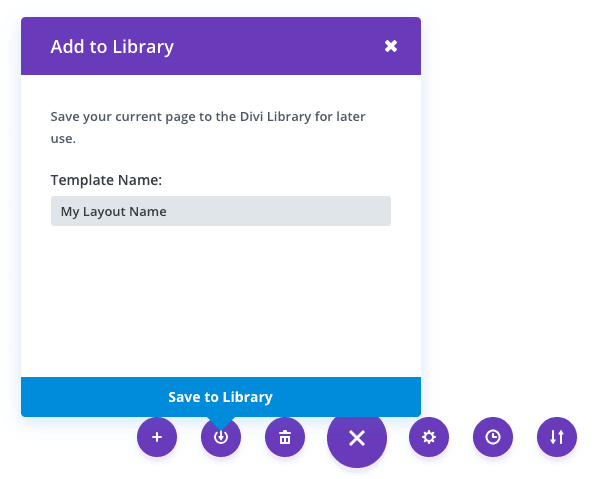
  1. Edit any page that contains a Divi Layout and enable the Visual Builder
  2. Expand the Visual Builder’s Toolbar by clicking on the Ellipsis icon
  3. Click on the Save to Library icon
  4. Give the layout a descriptive name.
  5. Click on the Save To Library button.


https://www.support.helplovelyconfetti.com/wp-content/uploads/2025/08/HallePro-Save-Layout.webm
Related Articles
  • Halle Pro – How to Design a Blog Post Template
  • Halle Pro – Saving And Loading Sections In Divi
  • Halle Pro – How to add Filterable portfolio
  • Halle Pro – How to configure Contact Form
  • Halle Pro – How to Import and edit Header
  • Halle Pro – How to Import and edit Footer
4. Halle Pro - Theme Settings
  • Halle Pro – Saving And Loading Layouts In Divi
  • Halle Pro – How to change global colors
  • Halle Pro – Theme Options
  • Halle Pro – How to Import and edit Footer
  • Halle Pro – How to Import and edit Header
  • Halle Pro – How to configure Contact Form
  • Halle Pro – How to add Filterable portfolio
  • Halle Pro – Saving And Loading Sections In Divi
View All 8  

  Halle Pro – Saving And Loading Sections In Divi

Halle Pro – How to Import and edit Header  

  • Privacy Policy
  • Terms of Use
  • Copyright 2023. All Rights Reserved.