• HOME
  • DIVI BEGINNERS
  • TUTORIALS
  • TROUBLESHOOTING
  • SUBMIT A TICKET
  • HOME
  • DIVI BEGINNERS
  • TUTORIALS
  • TROUBLESHOOTING
  • SUBMIT A TICKET
home/Knowledge Base/4. Emily - Theme Settings/Emily – How to add Filterable portfolio

Emily – How to add Filterable portfolio

Creating Divi Portfolio Project Posts

In the Dashboard you’ll see Projects listed. Notice Projects and Posts have the same push-pin icon. Also notice they are placed strategically so you don’t accidentally create a post and think it is a project.

Creating Categories

When you first create categories, ideally from your written list, create them in the page set aside for Categories. This is a great feature within WordPress, it organizes information in what I call a ‘data information page.’ Make sure you are in the Project Categories data information page which looks like this.
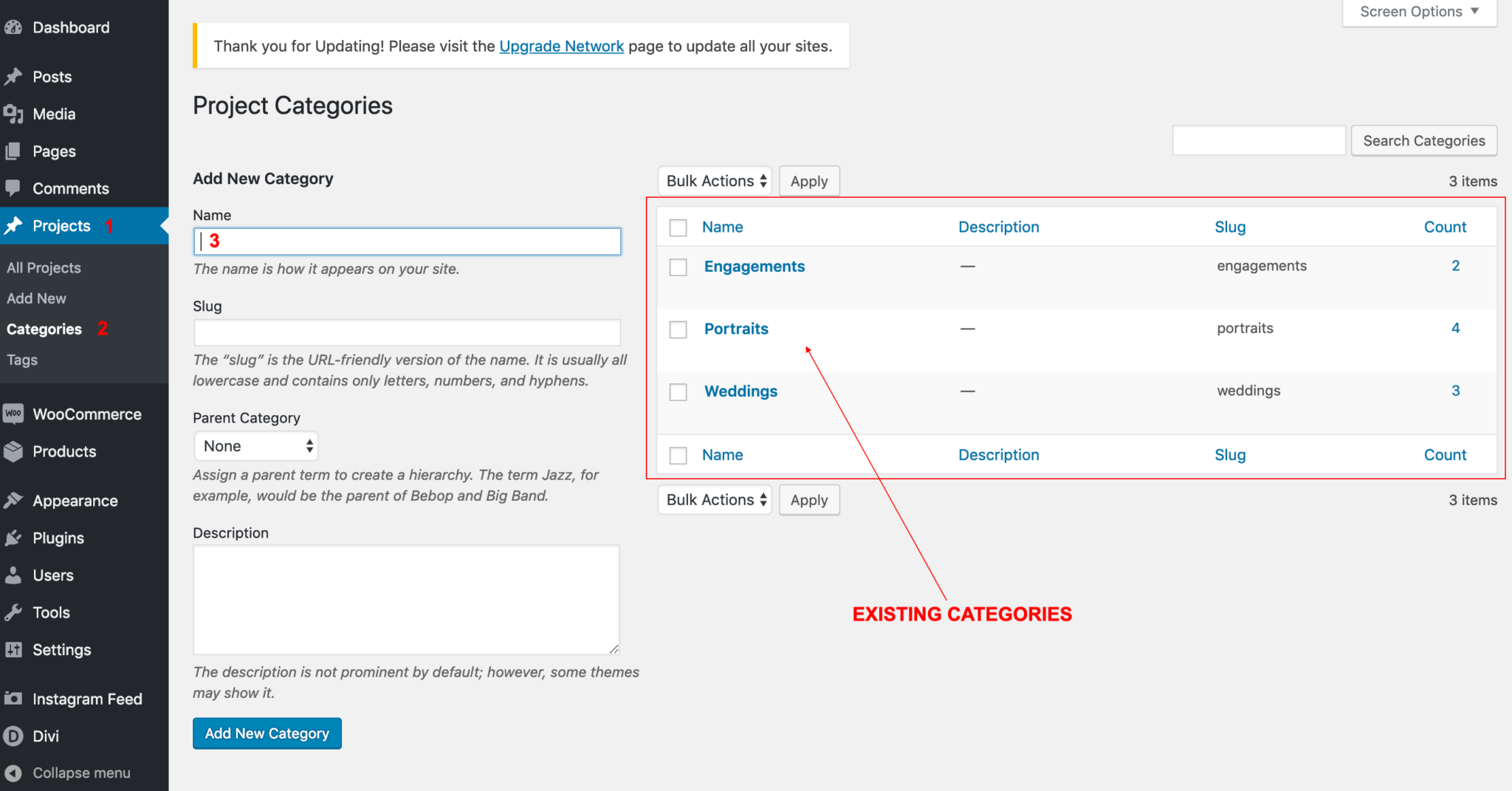
 

After you’ve created the categories in the main data page, the categories will show up in the right sidebar when you add a new project.

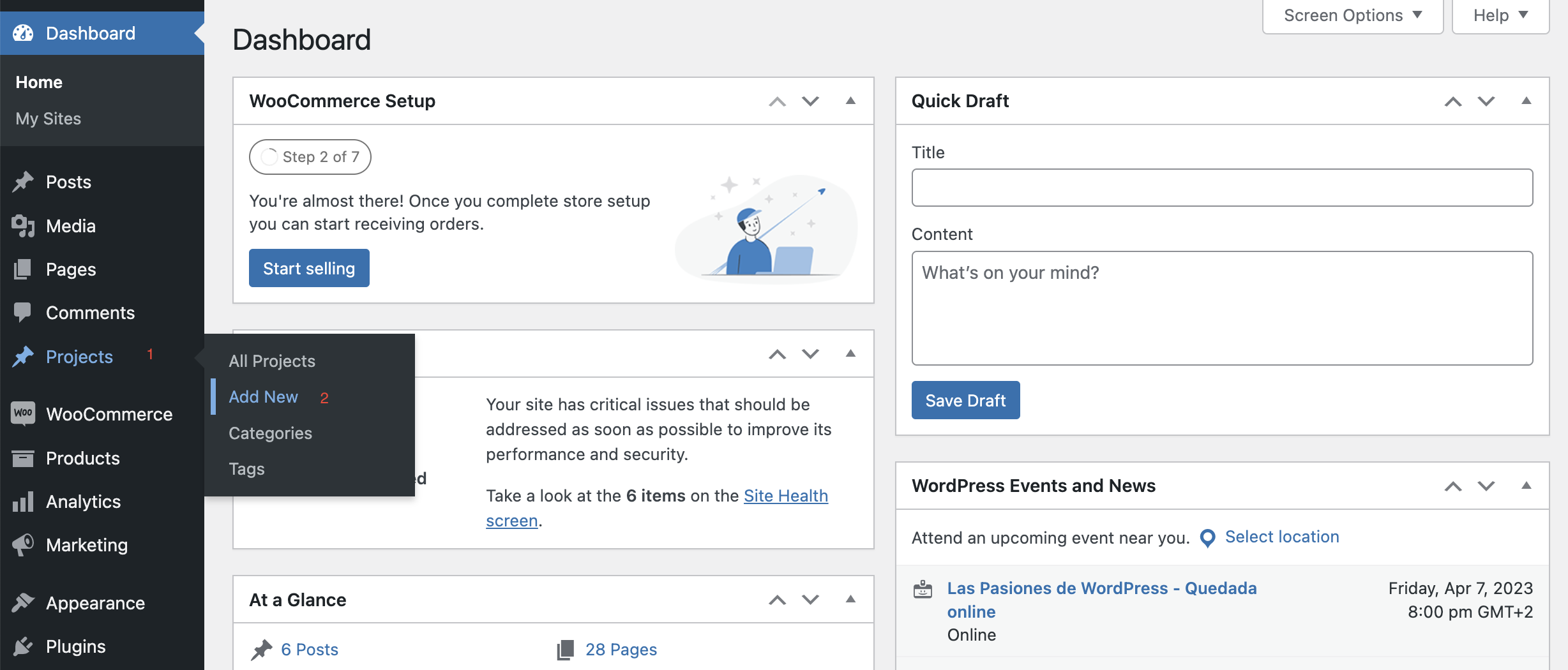
Let’s create a Project so you can see the settings. In the Projects menu find Add New.


Go to projects and click on Add New.
 

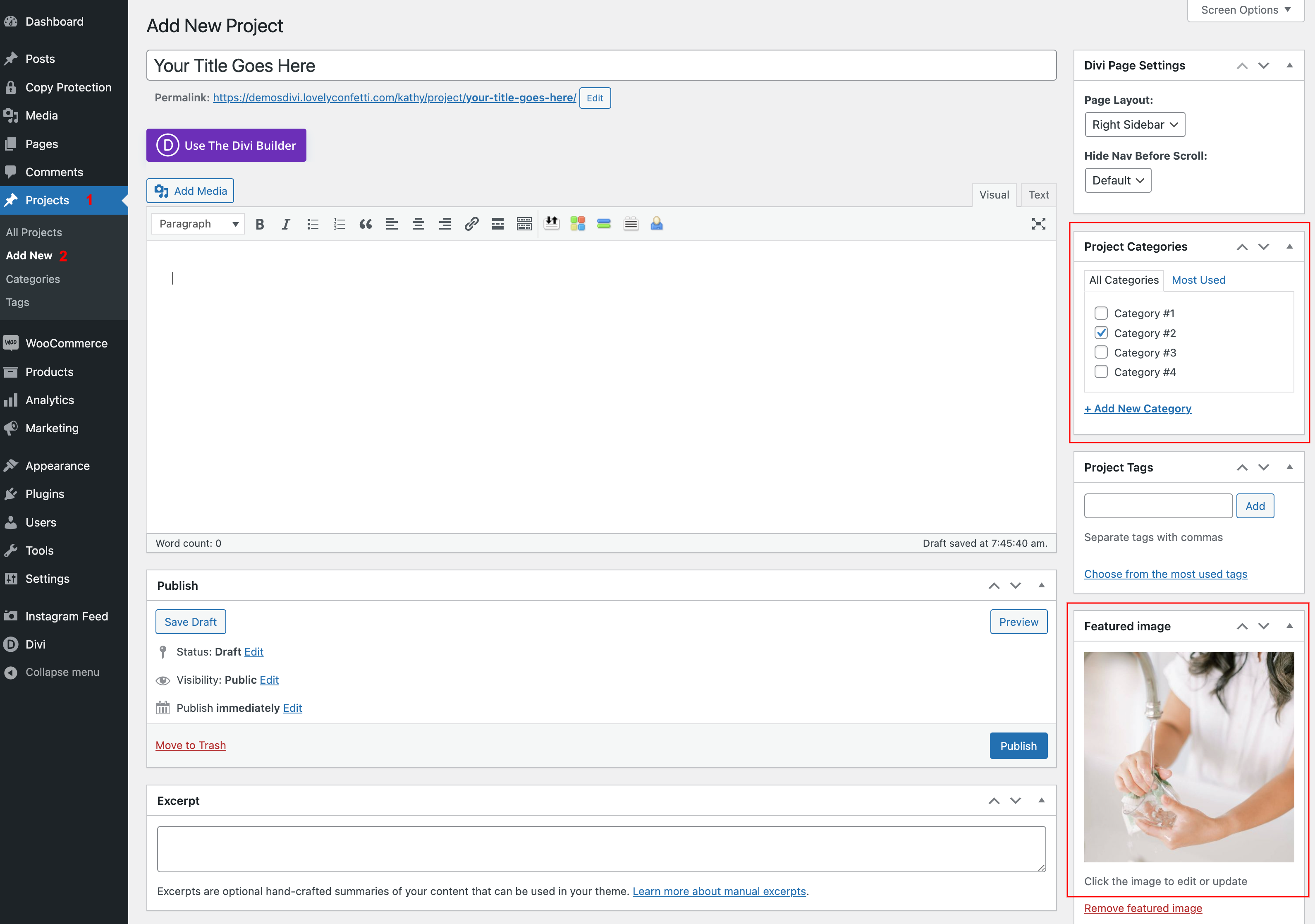
Give your project a title, assign this project to a category, if you don’t have any yet you can create here one and give it a check.

Then set a featured image. This is the image that you will see on the portfolio page.
And click on Use Divi Builder.
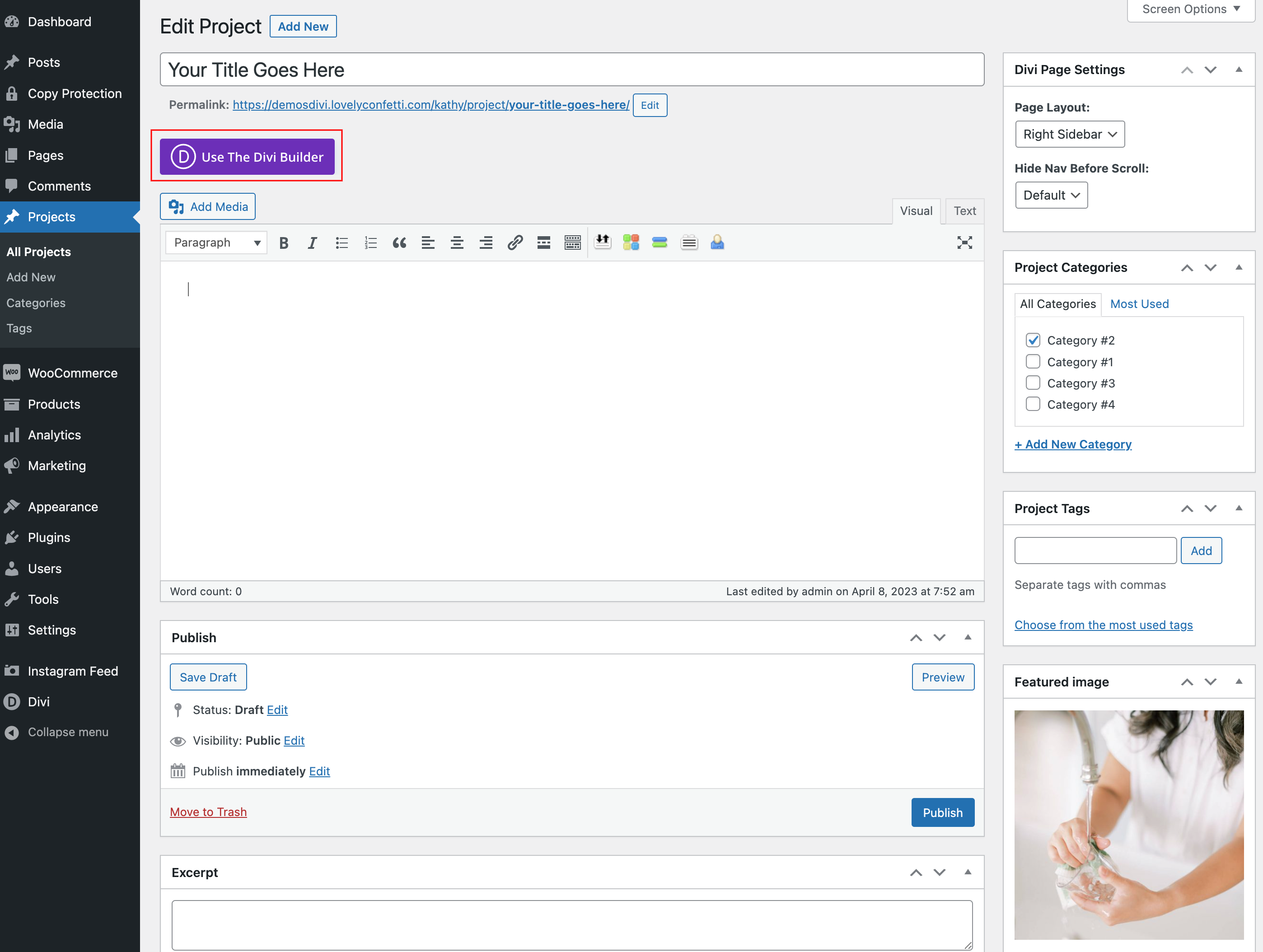
 

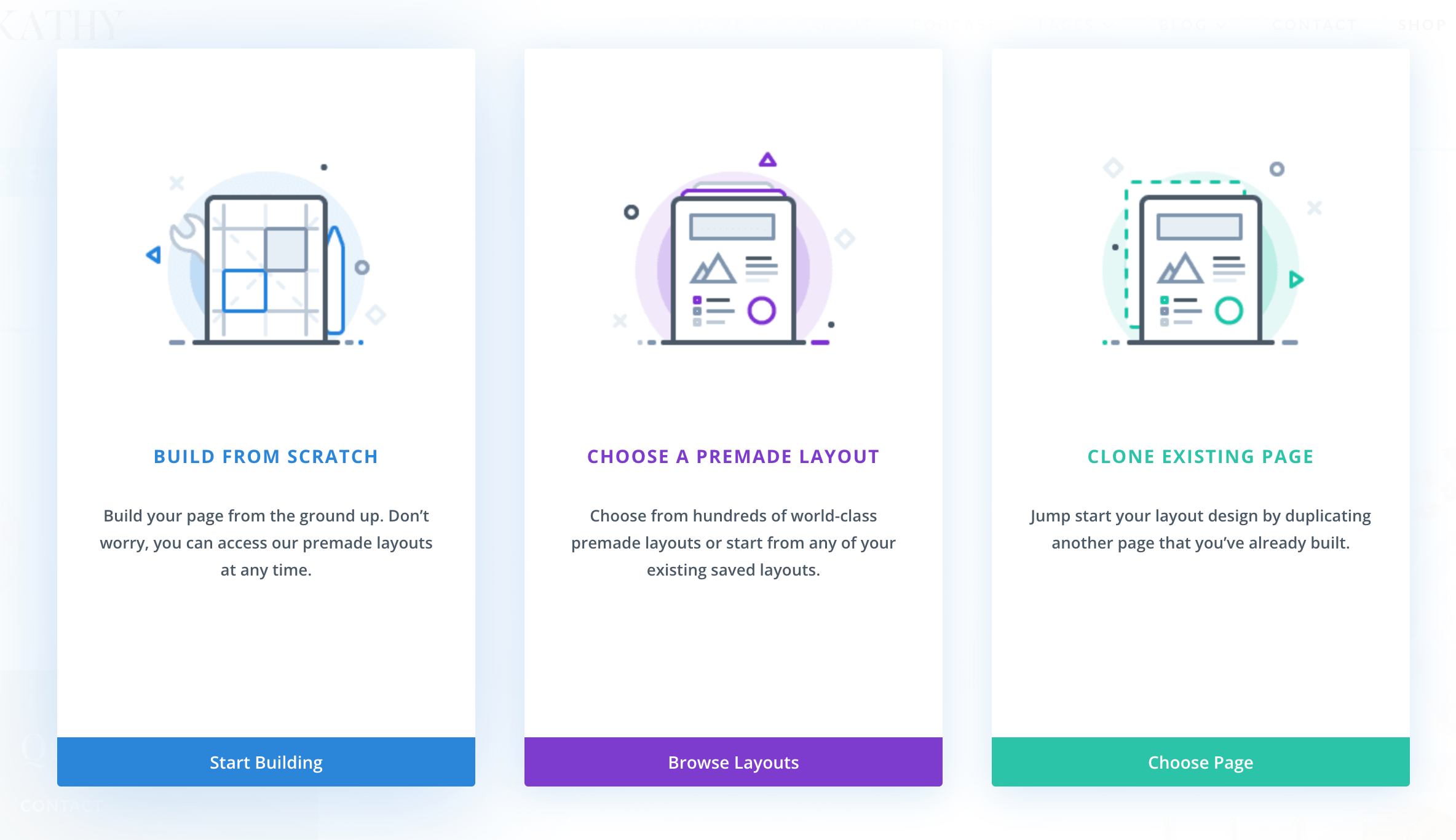
On the next screen choose a premade layout or create one from scratch.
 

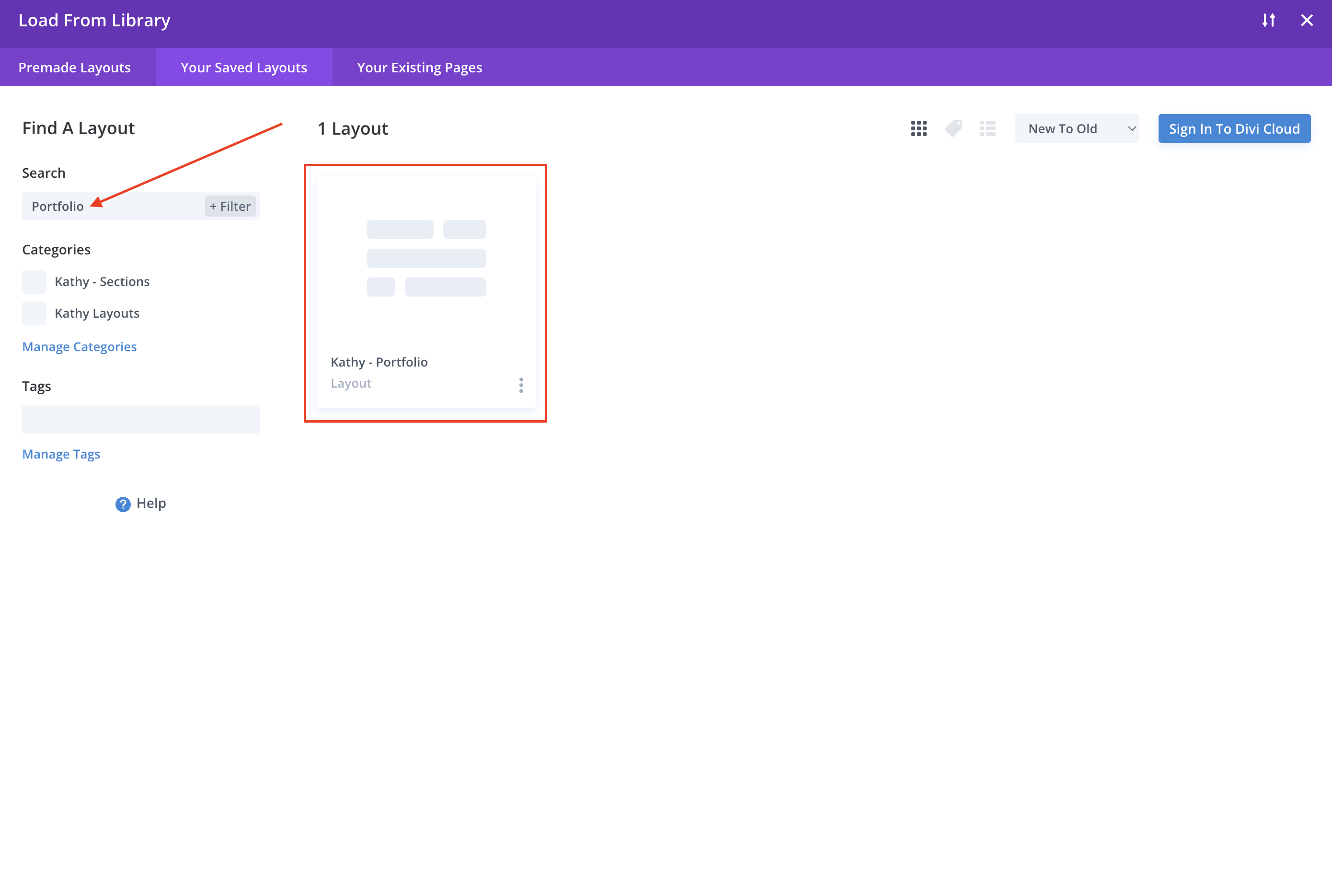
On the next screen go to Your saved layouts and click on Single Portfolio Layout.
 

Then click on Publish.

https://www.support.helplovelyconfetti.com/wp-content/uploads/2021/02/Olivia-Create-a-Portfolio-Post.webm
Related Articles
  • Emily – How to configure Header
  • Emily – How load and save setions in your Divi Library
  • Emily – How load and save layouts in your Divi Library
  • Emily – How to change global colors
  • Emily – How to Design a Blog Post Template
  • Emily – How to Import and edit Footer
4. Emily - Theme Settings
  • Emily – How to add Filterable portfolio
  • Emily – Theme Options
  • Emily – Theme Customization
  • Emily – How to Import and edit Footer
  • Emily – How to Design a Blog Post Template
  • Emily – How to change global colors
  • Emily – How load and save layouts in your Divi Library
  • Emily – How load and save setions in your Divi Library
View All 8  

  Emily – How to change global colors

Emily – How load and save setions in your Divi Library  

  • Privacy Policy
  • Terms of Use
  • Copyright 2023. All Rights Reserved.