• HOME
  • DIVI BEGINNERS
  • TUTORIALS
  • TROUBLESHOOTING
  • SUBMIT A TICKET
  • HOME
  • DIVI BEGINNERS
  • TUTORIALS
  • TROUBLESHOOTING
  • SUBMIT A TICKET
home/Knowledge Base/2. Shirley - Use Divi Builder/Shirley – How to edit Featured Work

Shirley – How to edit Featured Work

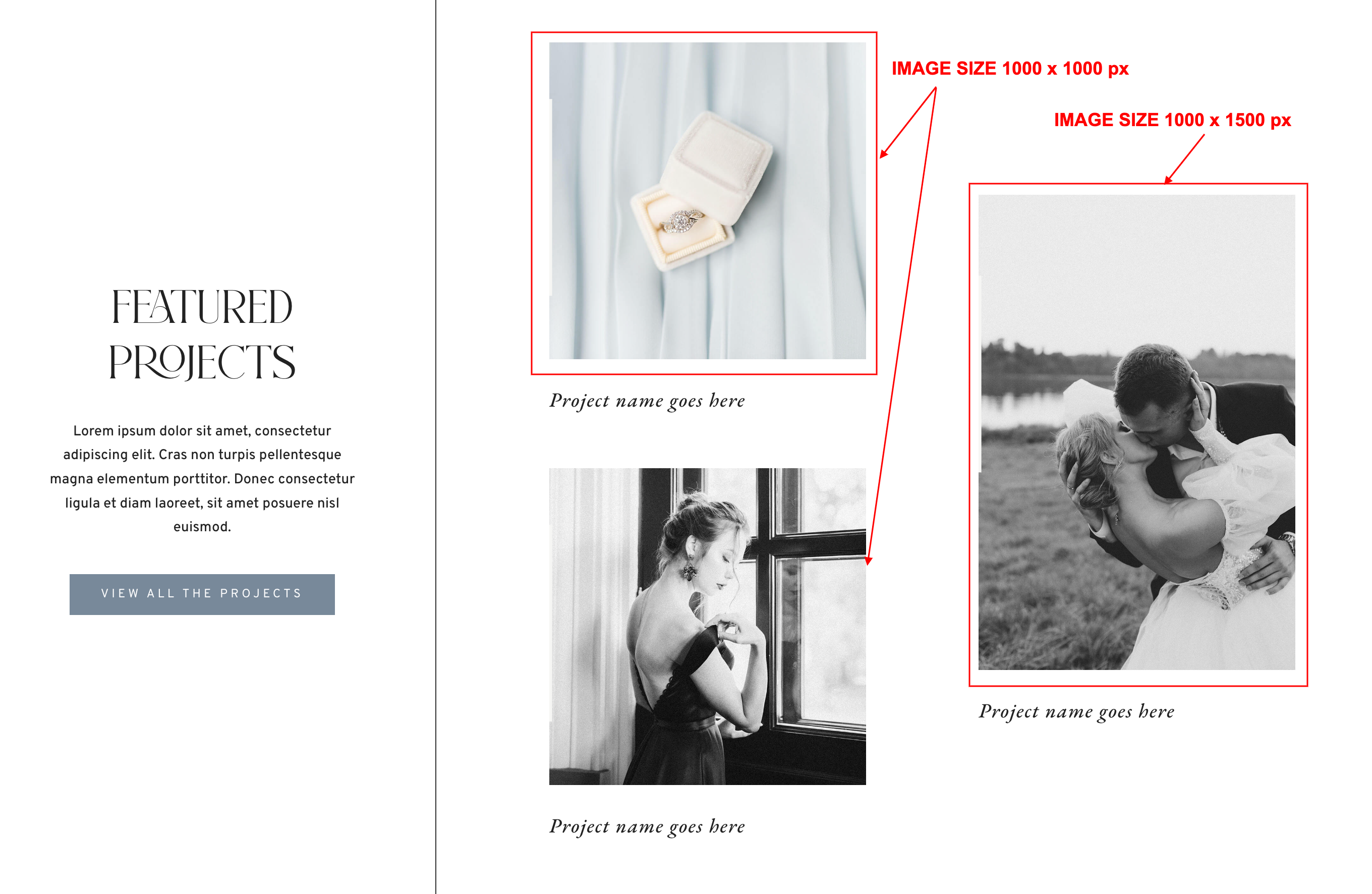
How to edit Featured Work in Home 1
 

  1. Log into WordPress
  2. Click on Enable Visual Builder in the top bar.
  3. Edit texts and background.


https://www.support.helplovelyconfetti.com/wp-content/uploads/2023/04/Shirley-Work-Home-1.webm

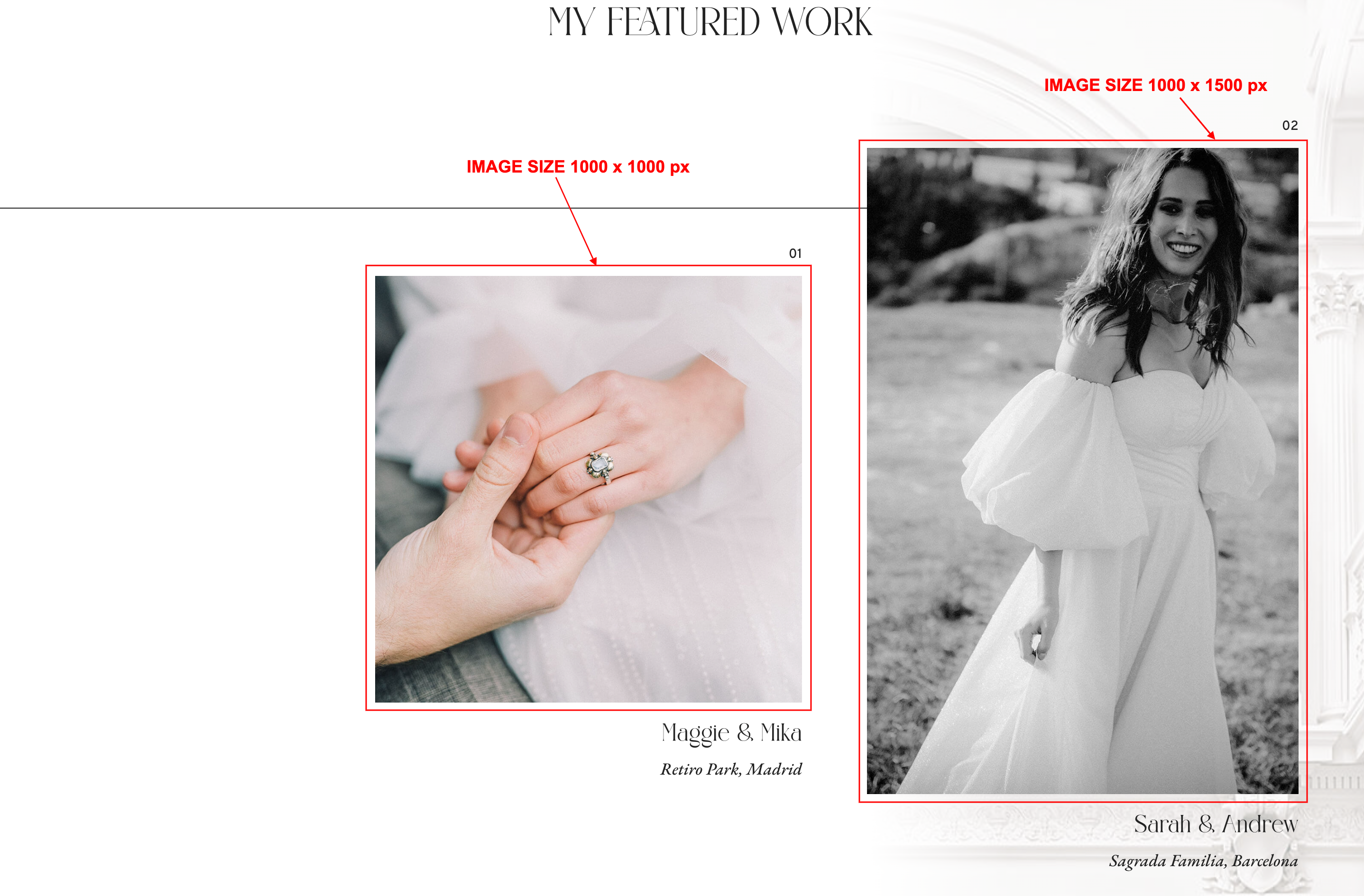
How to edit Featured Work in Home 2


  1. Log into WordPress
  2. Click on Enable Visual Builder in the top bar.
  3. Edit texts and images in slider module.
https://www.support.helplovelyconfetti.com/wp-content/uploads/2023/04/Shirley-Work-Home-2.webm


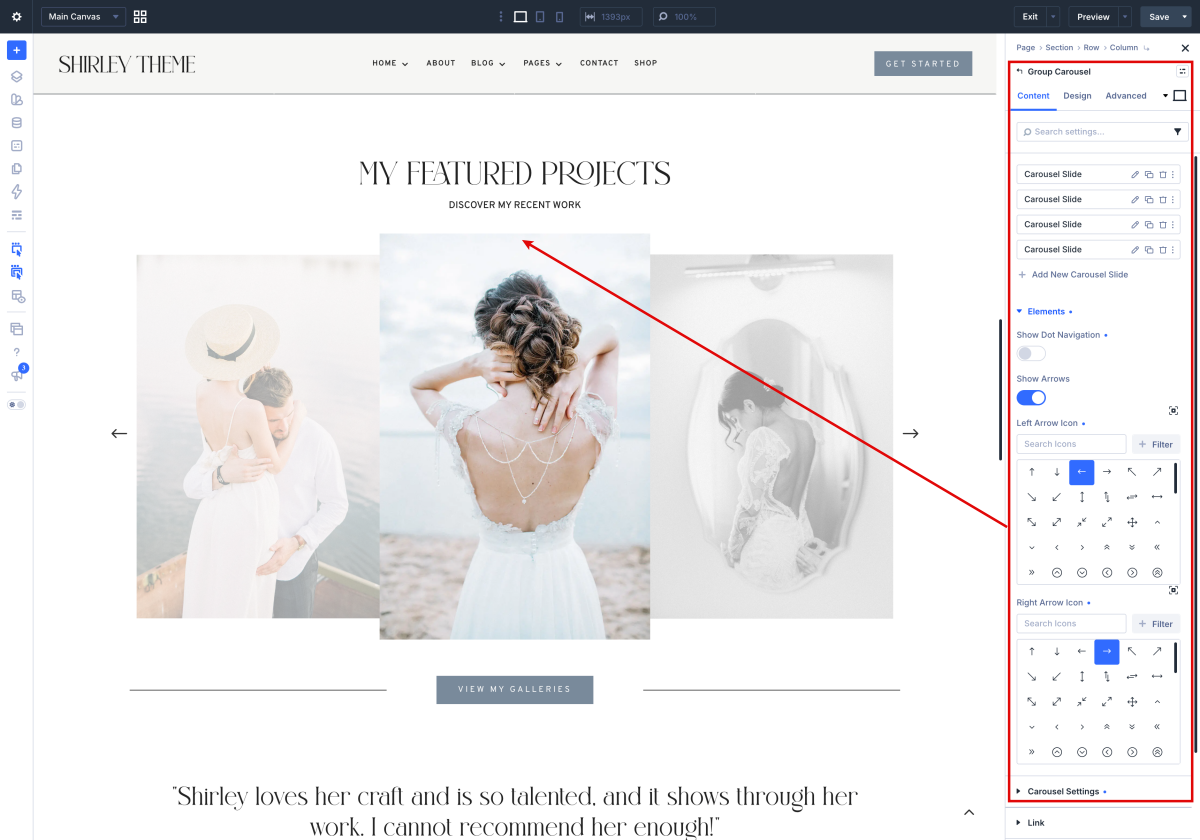
How to edit Featured Work in Home 3

The Divi Group Carousel module allows you to display multiple grouped modules in a horizontal, scrollable carousel. You can combine text, images, buttons, and other modules within each group, then customize the carousel’s layout, navigation, and animation settings. It’s perfect for showcasing portfolios, testimonials, product sets, or any content that benefits from an interactive sliding format.


Related Articles
  • Shirley – How to edit Testimonials
  • Shirley – How to edit Portfolio
  • Shirley – How to edit About Me
  • Shirley – How to edit Services
  • Shirley – How to edit Hero
  • Shirley – How to edit texts
2. Shirley - Use Divi Builder
  • Shirley – How to edit Featured Work
  • Shirley – How to enable the Divi Visual Builder
  • Shirley – Choose your Home
  • Shirley – How to edit images and backgrounds
  • Shirley – How to edit texts
  • Shirley – How to edit Hero
  • Shirley – How to edit Services
  • Shirley – How to edit About Me
View All 9  

  Shirley – How to edit Hero

Shirley – How to edit About Me  

  • Privacy Policy
  • Terms of Use
  • Copyright 2023. All Rights Reserved.