Some times, we need to improve the contrast between the text and the background image. Sure, we could just change the image itself – but some times that’s not an option so we can choose to add a nice overlay.
If you’ve ever tried an overlay on a Divi section or column background and want to make that image parallax. If you click the button, the overlay disappears.
In this tutorial, I’ll show you a quick and easy way to do a parallax background image with an overlay.
Here are the steps:
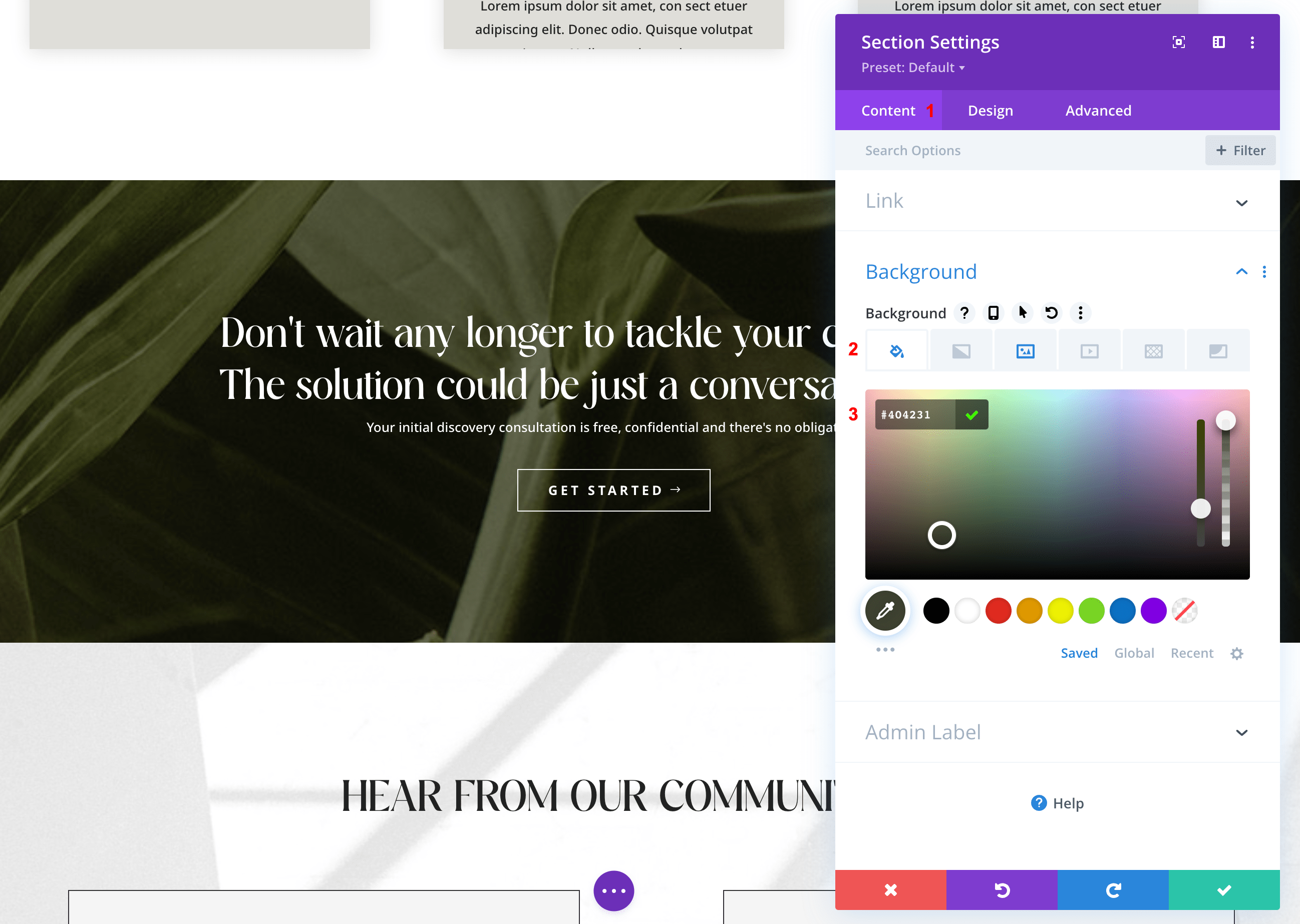
1) Go to the Section settings > Content tab > Background > Add Color Background.
You have the option to change the opacity.
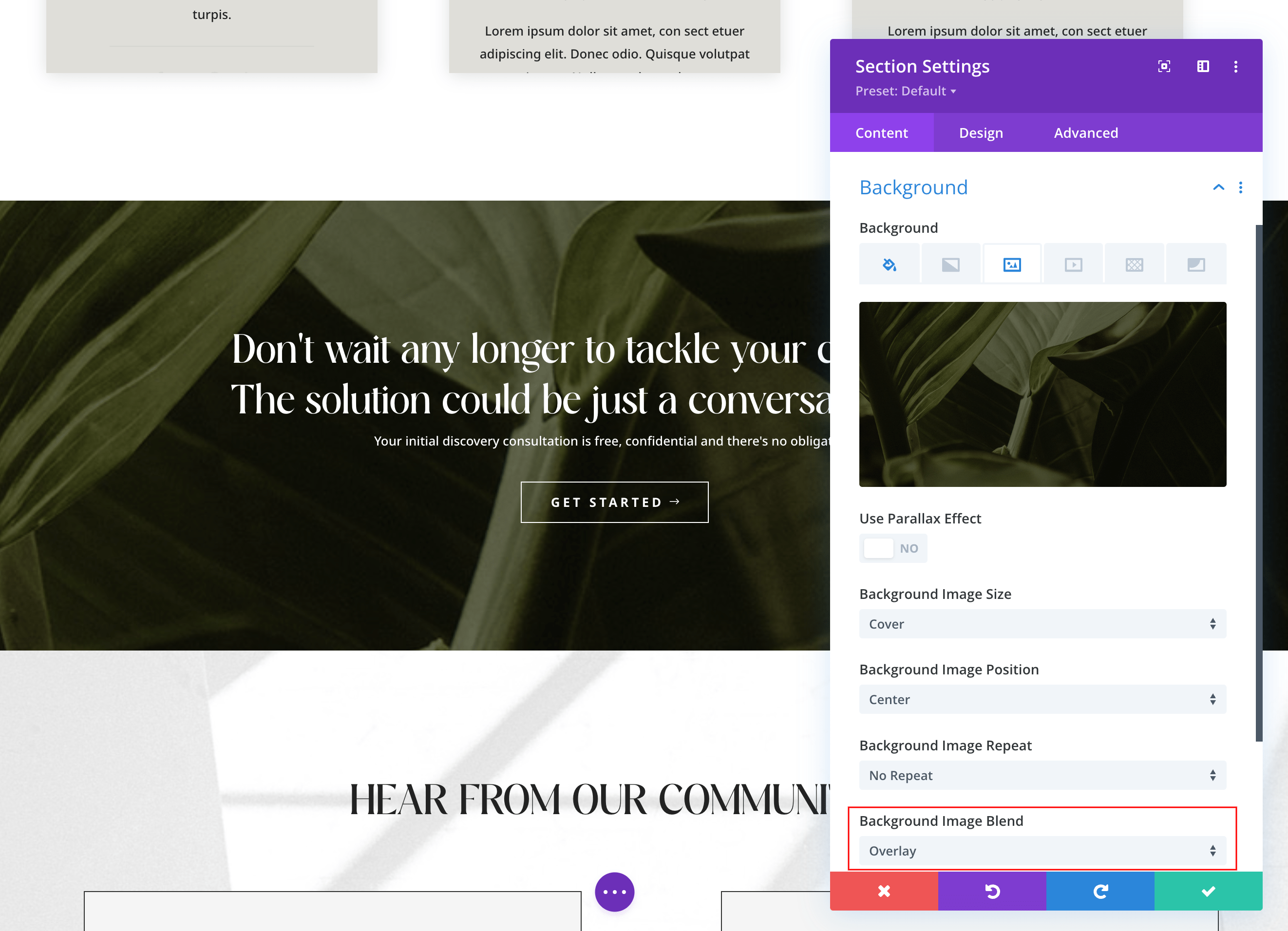
2) Click the Background Image and add a background image > Select Background Image Blend: Overlay.
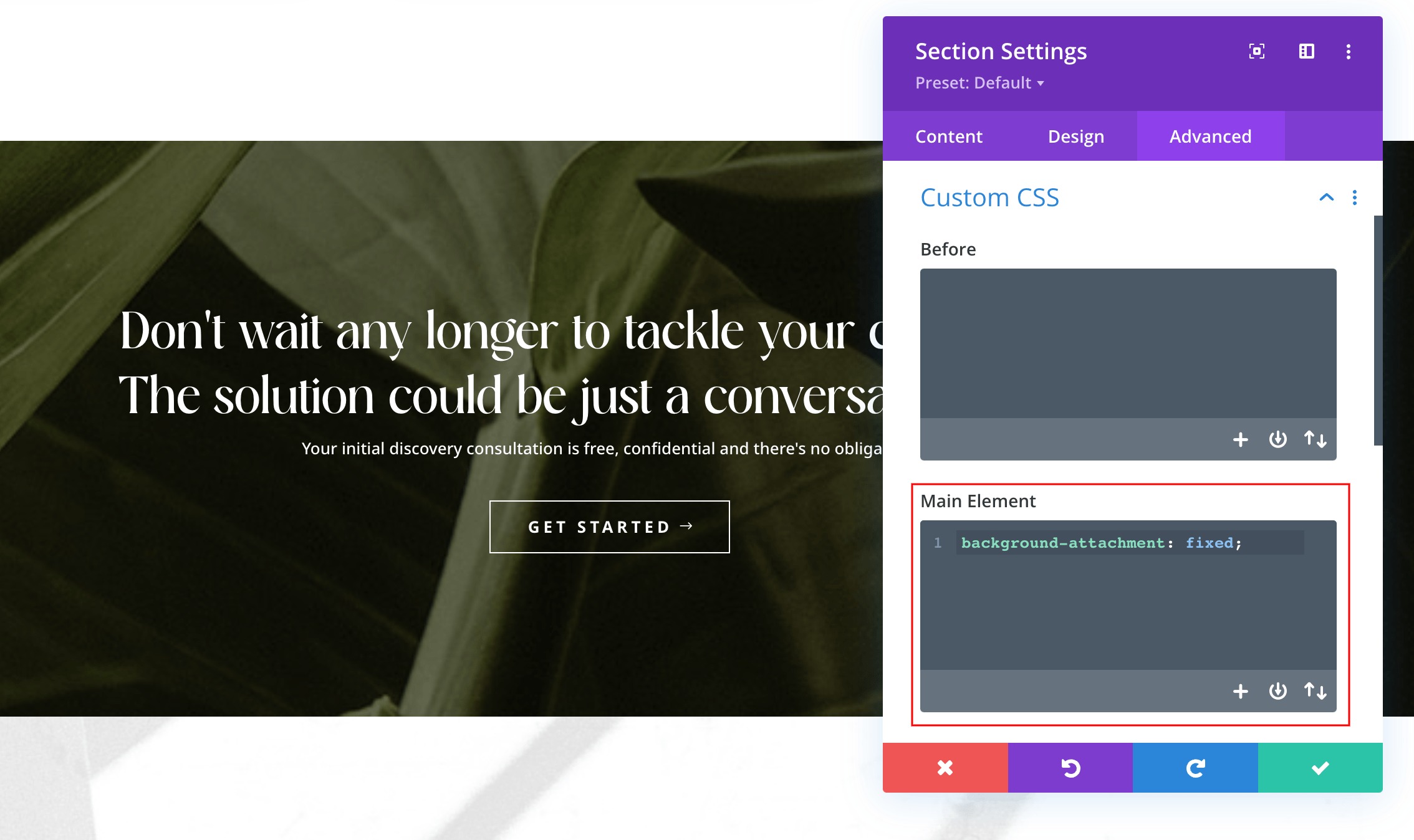
3) Go to Advanced tab > Main Element > Paste this code:
background-attachment: fixed;
Make sure NOT to enable “Use Parallax Effect” using the switch under the background image.
And that’s it.