• HOME
  • DIVI BEGINNERS
  • TUTORIALS
  • TROUBLESHOOTING
  • SUBMIT A TICKET
  • HOME
  • DIVI BEGINNERS
  • TUTORIALS
  • TROUBLESHOOTING
  • SUBMIT A TICKET
home/Knowledge Base/2. Marlee - Use Divi Visual Builder/Marlee – Theme Options

Marlee – Theme Options

Halle Pro features extensive customization options, which you can access in Divi > Theme Options > Halle Pro.

General Tab

Available settings:

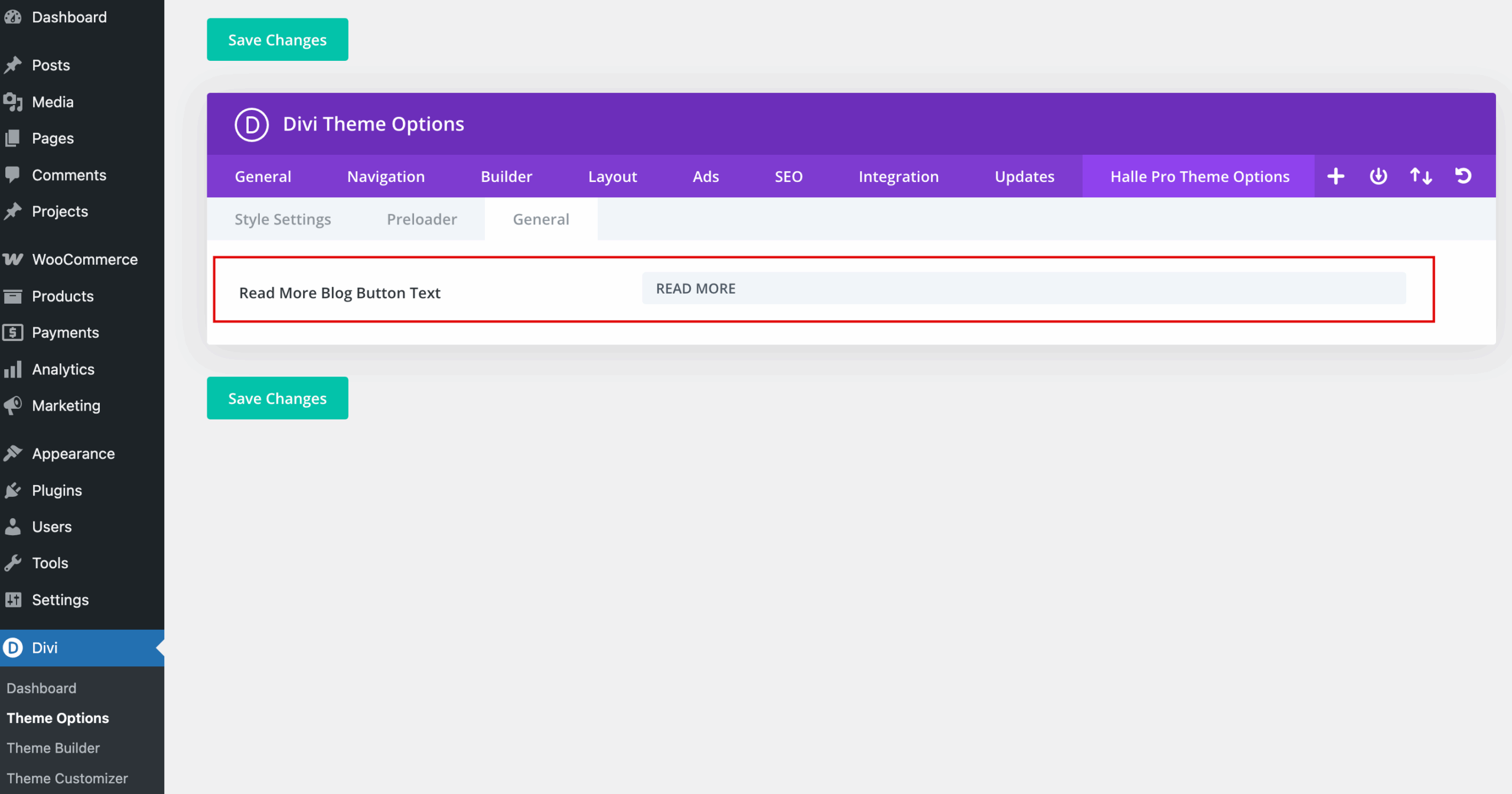
Read More Blog Button Text – changes the default text on all Divi Blog Modules.
Show Previous/Next Post Navigation – Show additional navigation links below blog post content – Enabled / Disabled
 

Setup Preloader

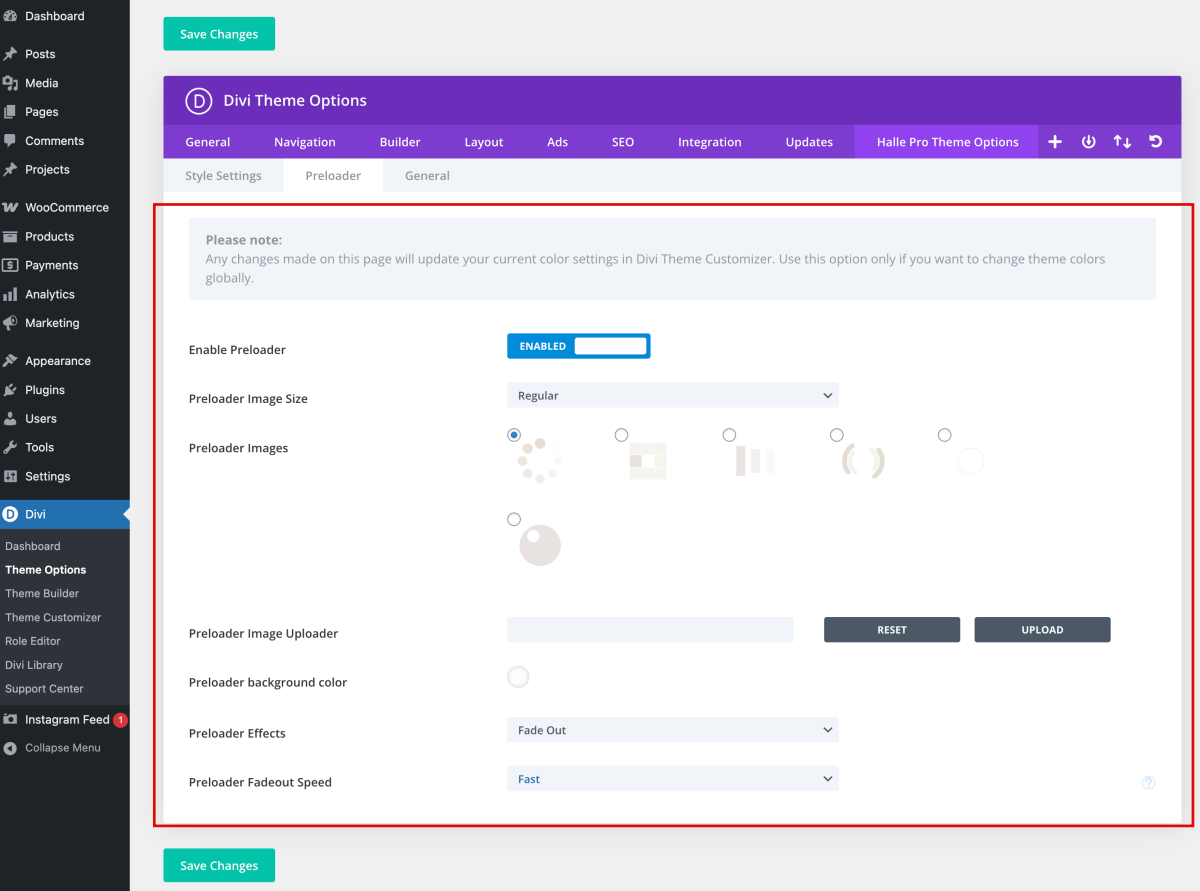
Preloader – Disabled/Enabled
Preloader Image Size – Regular / Large
Preloader Images – select preloader image
Preloader Image Uploader – you can upload your own preloader/gif image
Preloader background color – define background color for preloader
Preloader Effects – define effect FadeOut/SlideUp
Preloader Fadeout Speed – define speed of preloader fadeout effect


Related Articles
  • Marlee – How to edit Testimonials
  • Marlee – How to edit Services
  • Marlee – How to edit About
  • Marlee – How to edit Hero
  • Marlee – How to edit texts
  • Marlee – How to edit images
2. Marlee - Use Divi Visual Builder
  • Marlee – Theme Options
  • Marlee – How to enable the Divi Visual Builder
  • Marlee – Choose your Home
  • Marlee – How to edit images
  • Marlee – How to edit texts
  • Marlee – How to edit Hero
  • Marlee – How to edit About
  • Marlee – How to edit Services
View All 8  

Marlee – How to enable the Divi Visual Builder  

  • Privacy Policy
  • Terms of Use
  • Copyright 2023. All Rights Reserved.