Divi visual builder is not loading? There are plenty of reasons for this and more often there are no errors to help you solve the issue.
However, there are few things you can try out and see if the problem goes off.
1) Check Server Settings
Go to Divi > Support Center > Check if you have the recommended values for the various PHP directives.
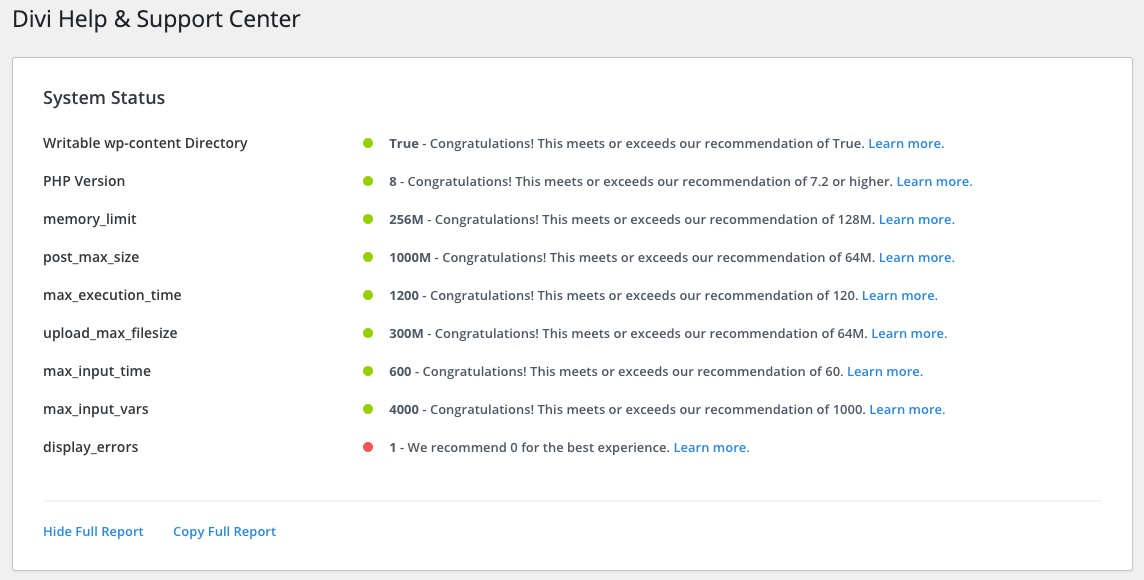
This is arguably one of the top reasons why the Divi Builder is not loading on your posts or pages. While these steps might sound a little silly, believe me, it can make a huge difference when you need that Divi Builder to load.
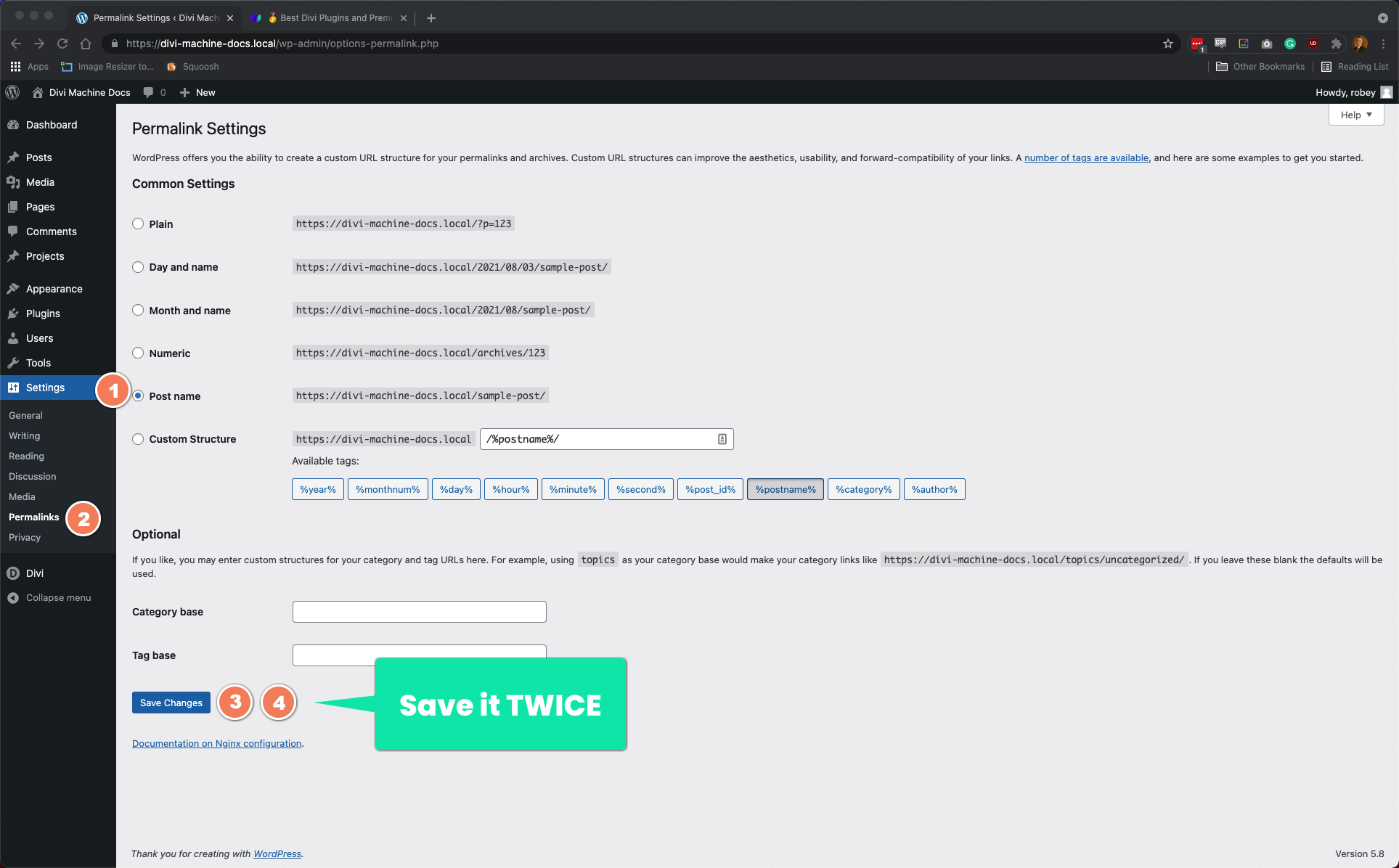
What this does, is it flushes any permalink cache that could be causing the Divi Builder to not load.
Head over to your WordPress Dashboard > Settings > Permalinks > Save x 2. Yes, twice.
3) Check Caching
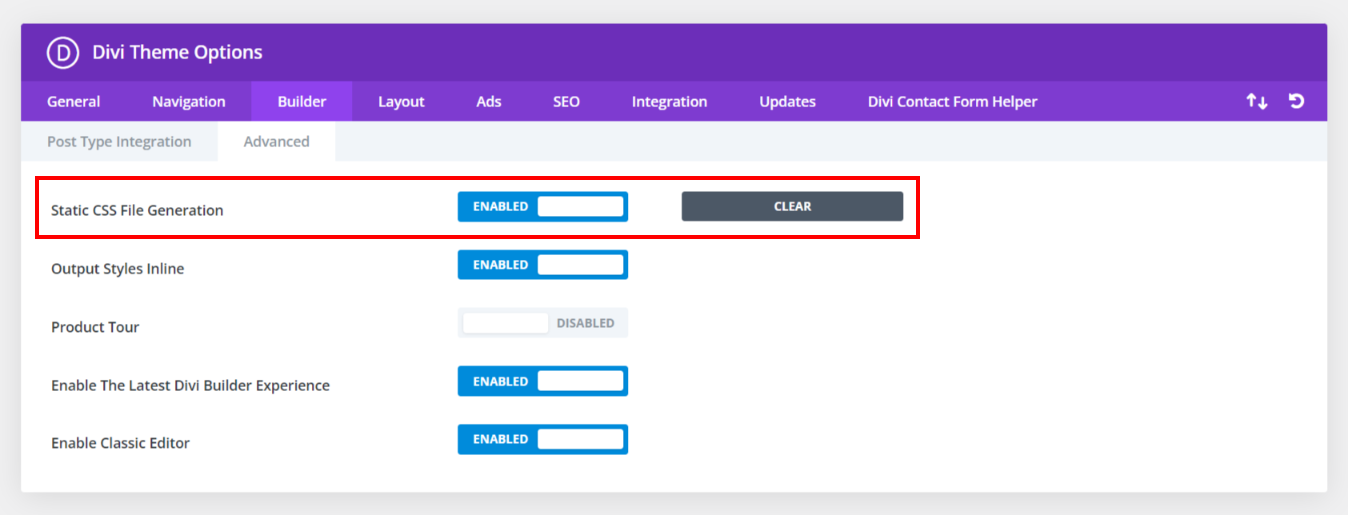
Disable Static CSS
Head over to Divi > Theme Options > Builder > Advanced > Static CSS File Generation > Disable. Be sure to save and check to see if your issue is fixed. You can Enable this on again when you are done working on your site.
Caching Plugin – Purge Cached Files
If you are using one of the many caching plugins out there, try purging the files that have been cached by that plugin.
Most caching plugins usually have an option to do so in your Dashboard Header, but if you struggle, just check the documentation for your specific plugin.
Purge Browser Cache
Just like caching plugins, browsers provide additional caching solutions to store website files locally on your computer. This helps your browsing speed, but can also sometimes lead to issues when these files get a bit out of date.
Purge Server Cache
Most hosting providers worth their salt will have the option to utilize a server caching solution. Still, as with the aforementioned steps, this can lead to the Divi Builder not loading because of outdated cache files.
Depending on your hosting provider and which solution they offer, the steps will differ, so if you are uncertain, contact their support team, and they should be able to sort you out in no time.
4) Desactivate Plugins
5 ) Ensure Everything is Up-to-Date
Divi and WordPress are constantly evolving and getting updated with new features and more efficient code which is awesome stuff, but sometimes these rapid updates can lead to conflicts with plugins that might be outdated on your site.
Having your plugins and themes updated to the latest version is just a smart practice, to begin with for security reasons, but also for avoiding these conflicts and ensuring that the Divi Builder runs smooth like butta!
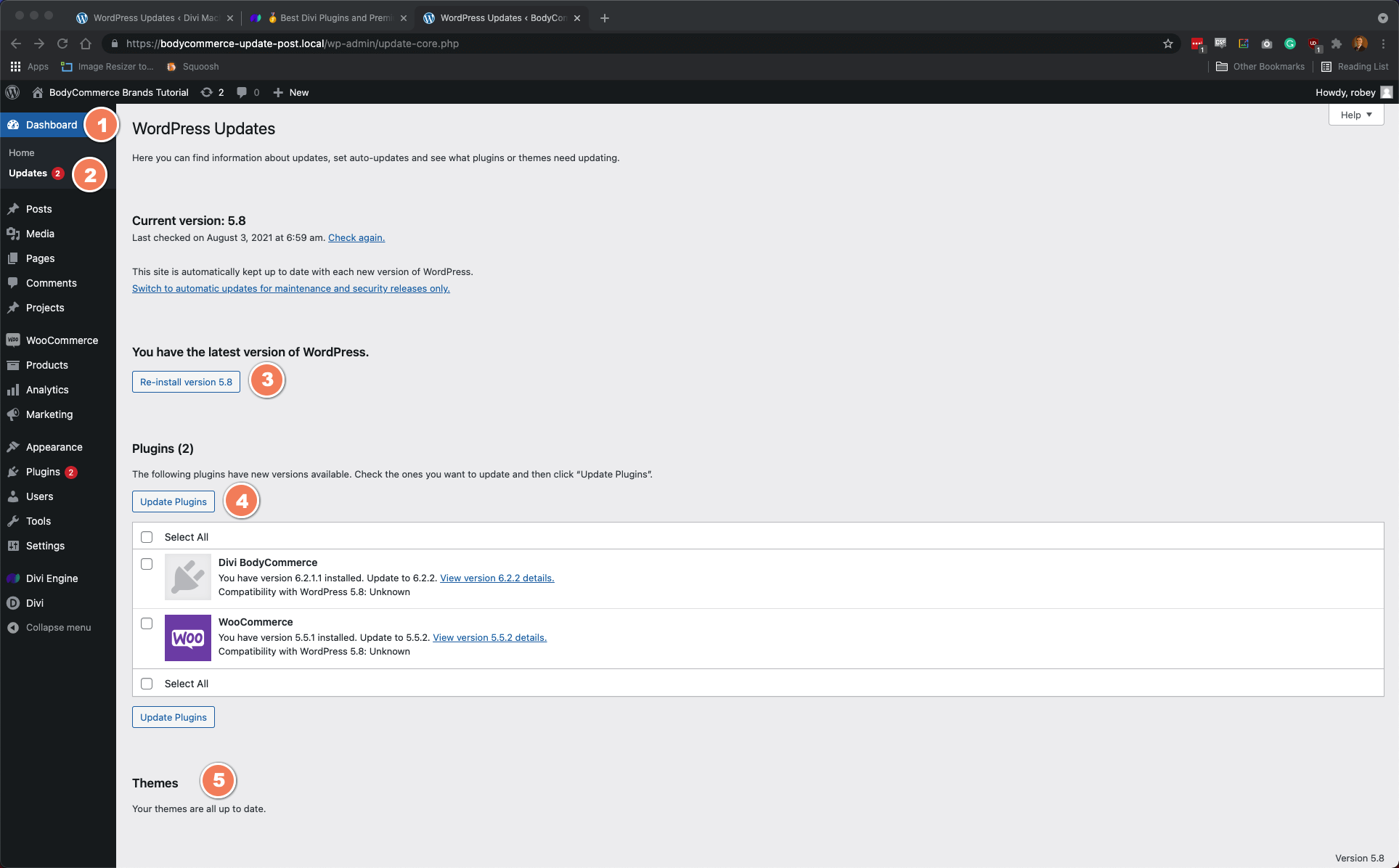
When logged into your WordPress Dashboard, hover over Dashboard > Updates > Update your WordPress, plugins, and themes.
Best Practise
1. Don’t use notoriously bad hosts like Godaddy, Bluehost, iPage, etc.
2. Don’t install several constructors plugins ( Divi Builder, Page Builder, Elementor,..) with the Divi Theme.
3. Don’t update right away. Let’s say version 4.8 comes out. Wait until 4.8.3 for example. This gives the developers time to address any bugs and issues with the bigger update.
4. Don’t have multiple tools doing the same thing such as caching, optimization, security, minification, etc.