It will be really important to invest in a good photo editing software so you can provide the best images for your WordPress theme.
CROPPING IMAGES IN PHOTOSHOP
Two of our favorite apps for image editing are Adobe Photoshop and Adobe Lightroom, but these apps can be a bit pricey. Another great option is Adobe Photoshop Elements.
Step 1: Open PhotoShop
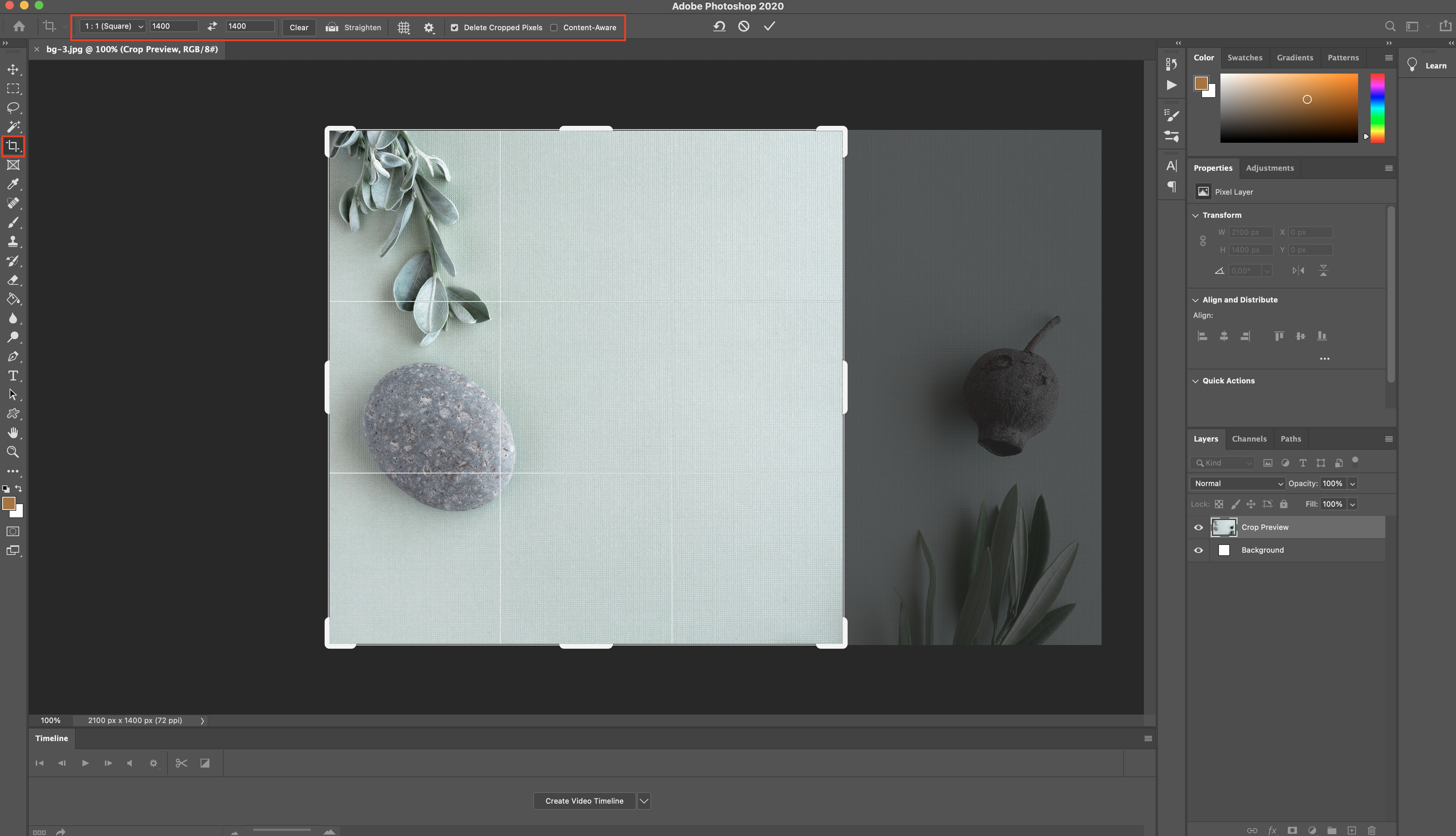
Open the image in Photoshop and on the top bar select W x H x Resolution entered the desired size.
Click on your image and move it around within the cropping rectangle to choose what will be cropped.
Finish by clicking the check mark in the upper right-hand corner.
Step 2: Save archive
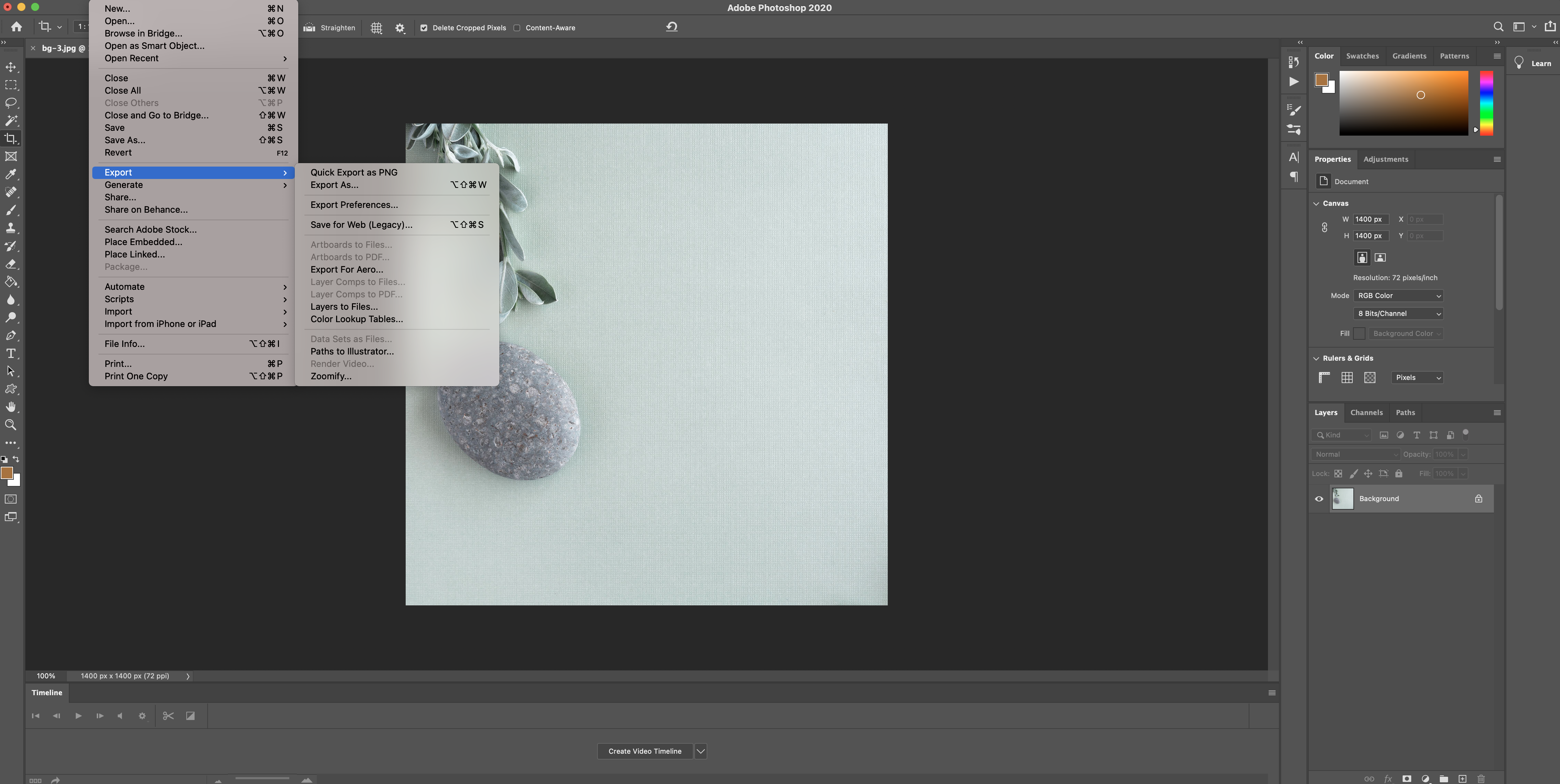
From the main menu select File > Export > Export As.
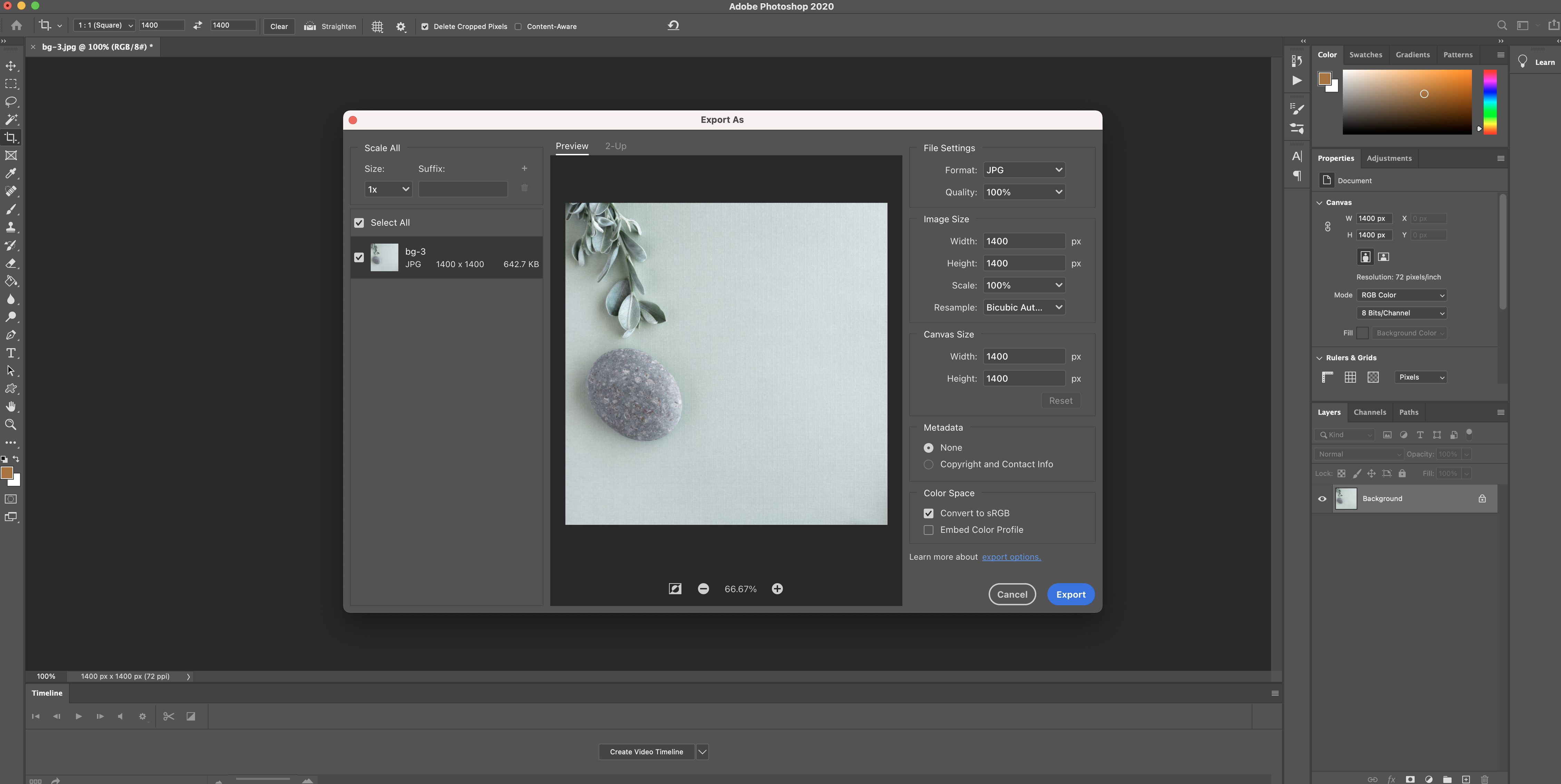
Then choose Export All.
CROPPING IMAGES USING FREE ALTERNATIVE
If you just need a quick free option you can try online resizers like resizeimage.net. Here is an example of cropping an image using this site…
Step 1: Upload the image
Select Fixed Aspect Ratio and enter the size, then select your image size and select Crop.
Example: I´ve uploaded an image 2100 x 1400 px and I want to size to square size 1400 x 14000 px.
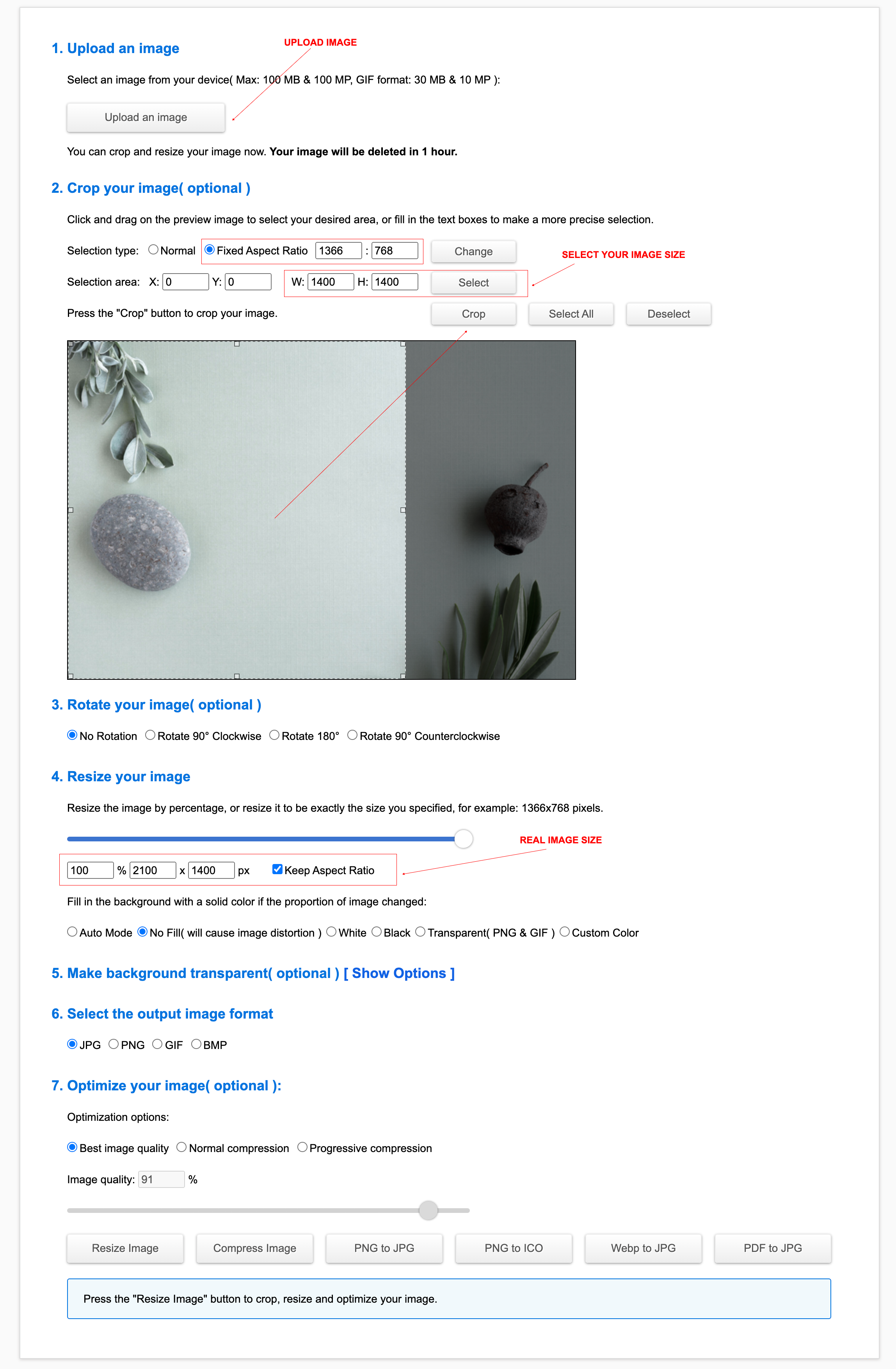
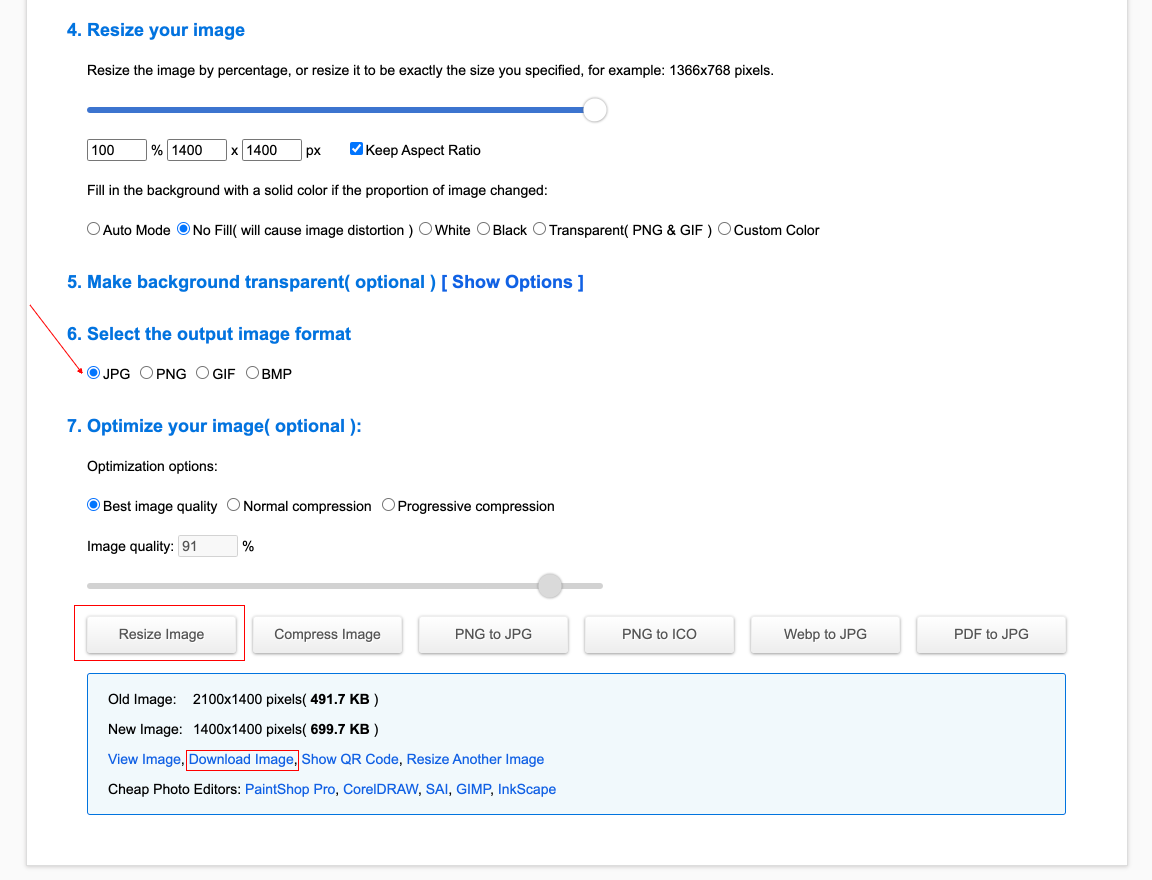
Step 2: Resize image
Select JPG > Best Image Quality > Resize Image. Then click download image.