• HOME
  • DIVI BEGINNERS
  • TUTORIALS
  • TROUBLESHOOTING
  • SUBMIT A TICKET
  • HOME
  • DIVI BEGINNERS
  • TUTORIALS
  • TROUBLESHOOTING
  • SUBMIT A TICKET
home/Knowledge Base/2. Angelina - Use Divi Visual Builder/Angelina – How to edit text

Angelina – How to edit text

  1. Click on Enable Visual Builder in the top bar.
  2. Making changes to text with the Divi Visual Builder is as simple as clicking and typing.


https://www.support.helplovelyconfetti.com/wp-content/uploads/2019/10/Angelina-Edit-your-text.webm


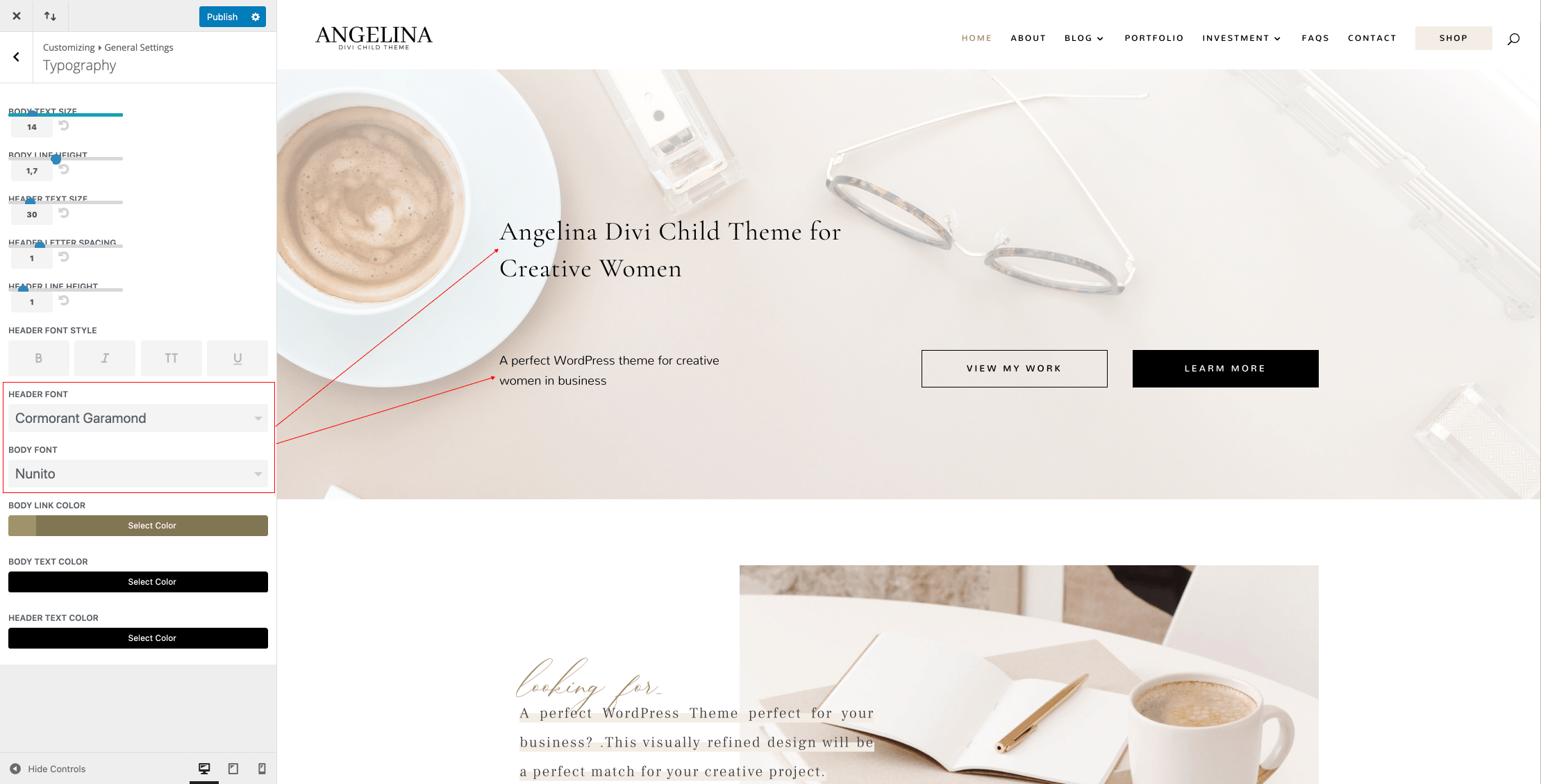
How to Globally Change the Website Font in Divi:

Fonts used in Sally Theme are Cormorant Garamond in Headers and Nunito in body.
 
Navigate to Divi > Theme Customizer > General Settings > Typography > Select your Header/body font.


How to add a Custom Font to your Divi website:

 
Font used in Angelina Theme is Boheme Floral (Font inside theme folder – Logo Header )

  1. Open the Divi Visual Builder and go to any design module that shows a font.
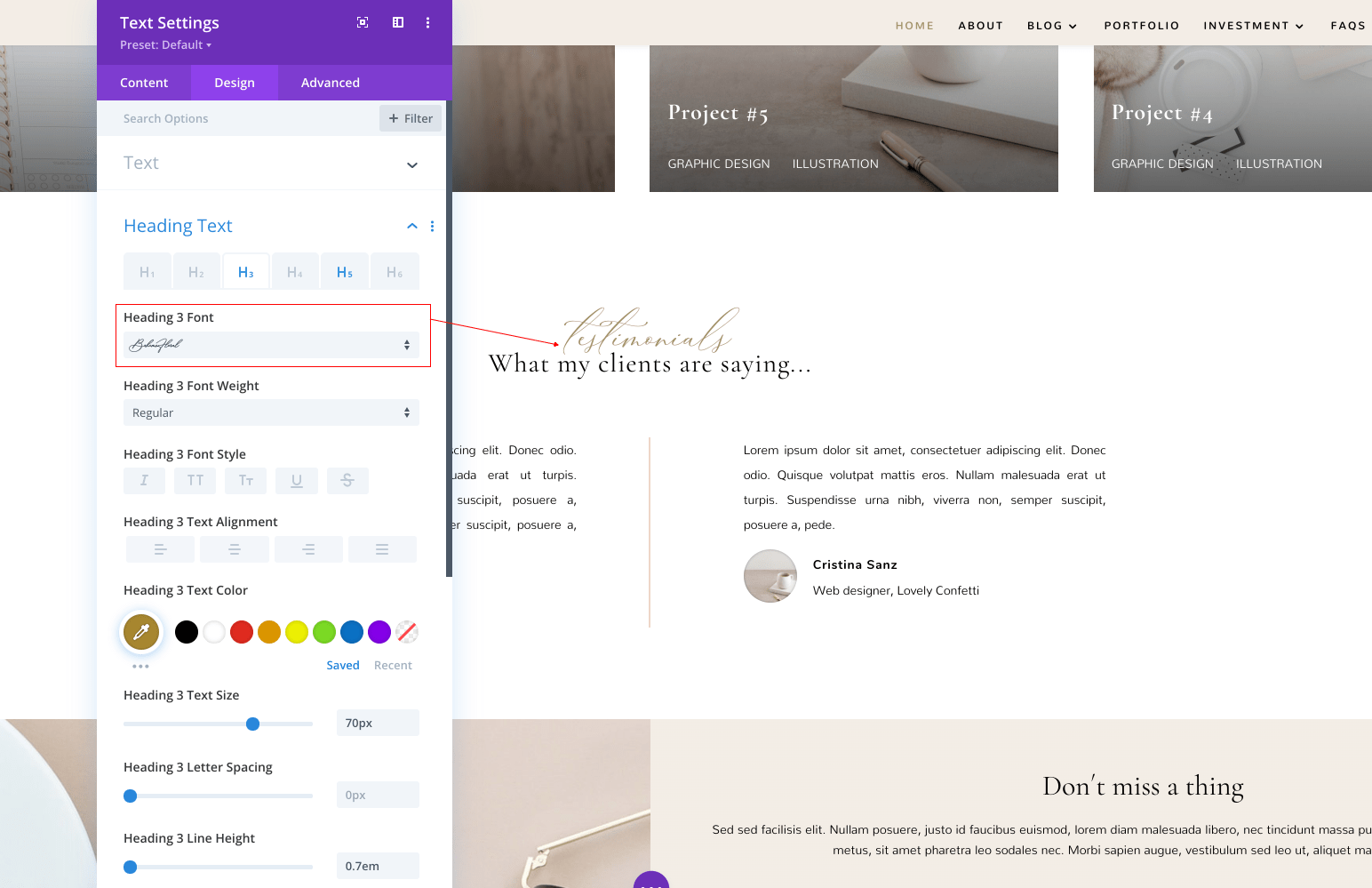


2. Click “upload” and select your font (supported file formats are: .OTF, .TTF, .EOT, .WOFF, WOFF2).
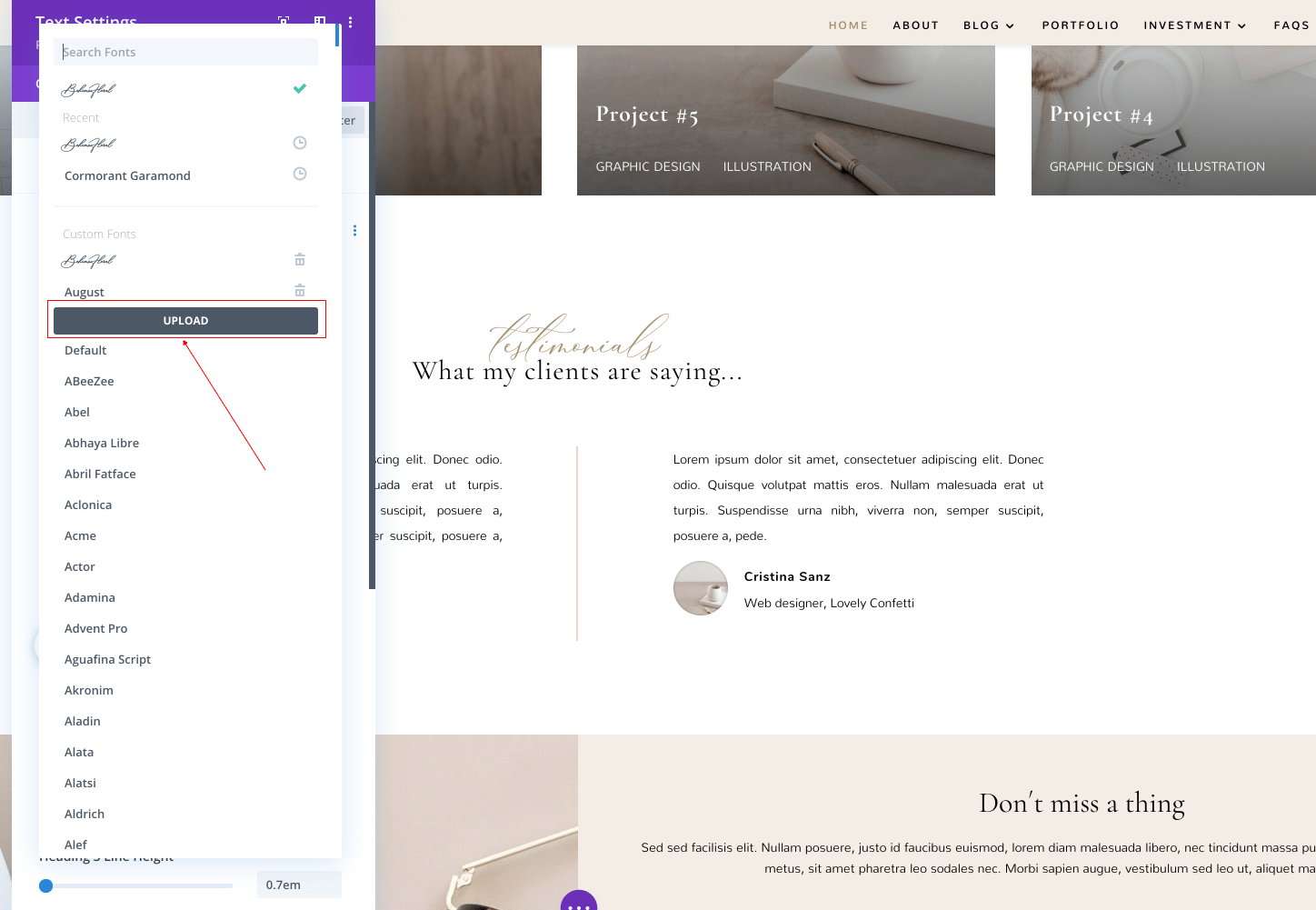


Once the fonts are loaded you can use them globally as is the case of the Boheme Floral font in the headings.
 

Need Further Tutorials?

 
The Divi Text Module: https://bit.ly/39TuifW

How to add a Custom Font to your Divi website: https://bit.ly/39Oq3SM

How to Globally Change the Website Font in Divi: https://bit.ly/39Oq3SM


Related Articles
  • Angelina – How to configure Contact Form
  • How load and save setions in your Divi Library
  • Jane – How load and save layouts in your Divi Library
  • Angelina – How to edit form optin
  • Angelina – How to edit services
  • Angelina – How to edit your slider
2. Angelina - Use Divi Visual Builder
  • Angelina – How to edit text
  • Angelina – How to enable the Divi Visual Builder
  • Angelina – How to edit images
  • Angelina – How to edit your slider
  • Angelina – How to edit services
  • Angelina – How to edit form optin
  • Jane – How load and save layouts in your Divi Library
  • How load and save setions in your Divi Library
View All 8  

  Angelina – How to edit your slider

Angelina – How to edit services  

  • Privacy Policy
  • Terms of Use
  • Copyright 2023. All Rights Reserved.